AppEasy 1.5.0 is now out

AppEasy the cross platform mobile game and app development system for iPhone, iPad, Android and Windows that is aimed at all levels of experience releases latest update

AppEasy version 1.5.0 is now available for download from here.

Please upgrade to the latest version. Note that before updating, close down your current version of AppEasy, rename c:\AppEasy to c:\AppEasy2, install and run AppEasy 1.5.0 then copy any changes / certificates from c:\AppEasy2 to c:\AppEasy. Note that if you install the update before renaming c:\AppEasy then simply exit the AppEasy project manager, rename the folder and run AppEasy again.

The main new features include:

  • Support for Facebook
  • Communication between web view content and the native app
  • New Lua HTTP API
  • Support for AdModa banner / rich media ads and Leadbolt app walls

New Tools:

  • AppEasy manager now supports new Facebook App ID field
  • Android Test deploy will now replace previous installed APK and automatically launch it
  • BUG FIX: iOS wizard was copying development certificate over distribution certificate

Core Engine Changes:

  • Added new Facebook Lua API that provides access to Open Graph API
  • If UI actor (does not work with basic image or text actor) is assigned Box2dmaterial but no shape then a default rect shape will be created and assigned
  • Extended UV tiling to beyond 8×8
  • Geometries now support percentage based sizing
  • Actors now support the Tiled attribute which tells the actor to use texture tiling when rendering itself
  • Actors now support the new Tiling attribute which specifies texture tiling factors on a per actor basis, if x or y tiling factors are > 1.0 then actor Tiled attribute will automatically be set to true
  • Tiled attribute has been removed from brushes
  • Added actor.findTagged(tag, scene) function that returns a table of actors that are tagged with a specific tag
  • All properties that are set from Lua via functions such as actor.set() / scene.set() now accept a userdata object or the name of the object, instead of an object name. For example when setting an actors timeline property you can pass either the name of the timeline or a lua object that represents the timeline
  • Added readable TextSize property to text based actors that returns the width and height of the area that the text covers
  • Added scene as 2nd parameter to resource.removeTagged() to allow tagged resources to be removed from specific scenes
  • Added new actor.destroyTagged(tag-name, container-scene) which destroys groups of tagged actors
  • WebView actor now supports OnJavascript event that is called when Javascript calls back to XML using s3e.exec(), see Test25
  • WebView actor property Javascript when read from Lua returns Javascript data that was sent via s3e.exec(), allowing data passed back from Javascript within a web view to be read
  • Updated Test25 to show how to send Javascript to web view from XOML to modify page content as well as send data back to XOML from a web view
  • Added http Lua API that deals with finding remote requests as well as setting and getting their properties
  • Added status() function to market Lua API which returns the status of the last request
  • Added available() function to market Lua API which returns the availability of the market
  • Added new sys.getOSVersion() function which returns current OS version as a string
  • All files that are downloaded over http (e.g. images, fonts and audio) now work if the original request URL results in a redirect
  • Updated Test63 to support Admoda banner and rich media ads, also added support for Leadbolt app walls
  • Actor.set(), add() and get() can now be used to access user properties of the actor by tagging a true onto the end of the call, this will access user properties instead of xoml properties
  • Added sys.setBackgroundColour(red, green, blue)
  • BUG FIX: Fixed issue where geometries would not render in a scene with batched turned on
  • BUG FIX: Fixed issues with SVG exporting from AppEasy Tool
  • BUG FIX: Fixed issues with tiled images in batch rendered layers
  • BUG FIX: Fixed issue with multiple onbegintouch events not firing correctly for actors
  • BUG FIX: Fixed OnResponse event callback in RemoteReq
  • BUG FIX: Fixed, Lives property of ActorParticles renamed Repeat
  • BUG FIX: Fixed, Lua errors now output to Error channel and not Info channel
  • BUG FIX: Fixed extents scaling by camera scale
  • BUG FIX: Fixed touch panning with scaled camera

The Activision Decathlon now out on iOS and Android

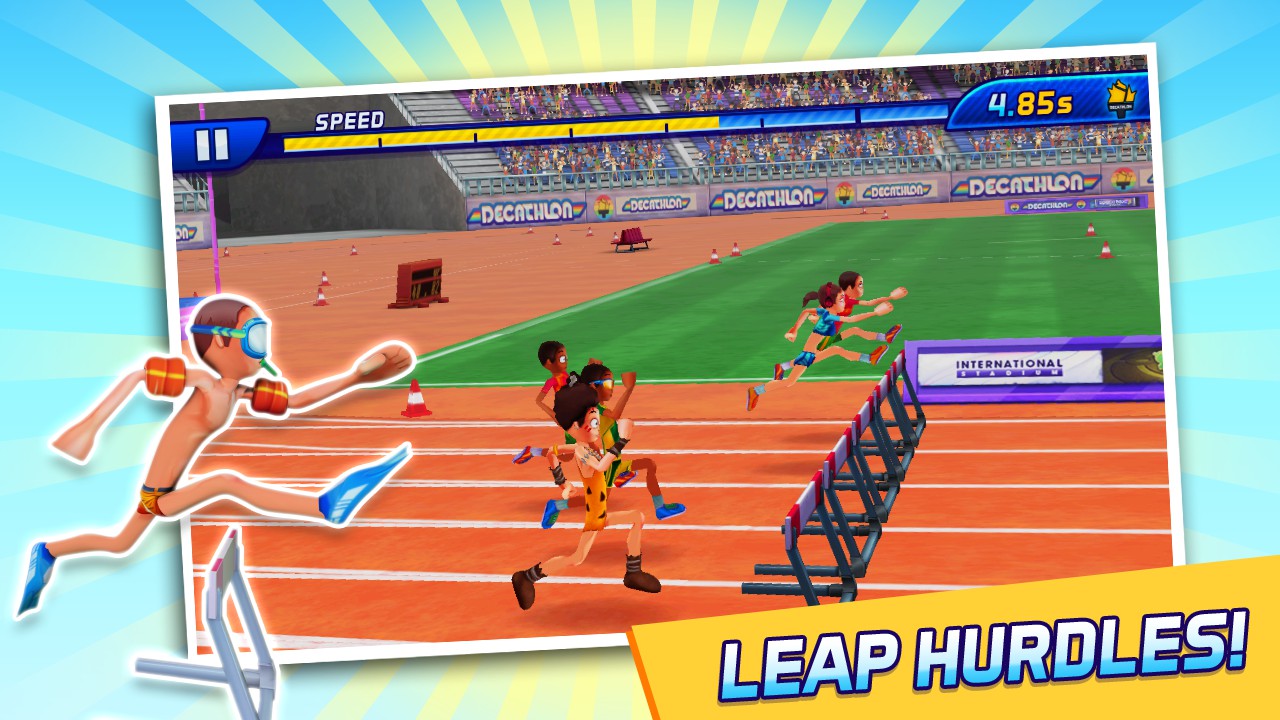
And the second game that I wanted to cover today from Marmalade Play is a new sports title called “The Activision Decathlon”. You can download for Android on Google Play and iOS on iTunes.

I don’t know how many of you are old enough to remember the good old “Daley Thompson’s Decathlon” back on the Spectrum / Commodore (if you are then you probably have trouble reading the text on this page :)), but I was addicted to that 8 bit classic, so I have a bit of a soft spot for decathlon style games. Here’s more info on Marmalade Play’s latest and greatest:

And here’s a little video to whet your appetite:

Relive the glory days again with this revamped version of the ultimate sports game. The Activision Decathlon features all of its legendary events including the long jump, hurdles, javelin, and the all time classic…100 meters! Put your athlete through their paces in single player or go head to head against friends to unlock skills and abilities and reach the top of the podium.

CAN YOU BE AN ATHLETICS CHAMELEON?
Prove your worth in 10 events! The 100m, 400m, 1500m, 110m Hurdles, Long Jump, High Jump, Pole Vault, Javelin, Shot Put and Discus.

TRAIN TO REACH THE STARS
As any athlete will tell you, it’s all in the training. Earn stars, coins and skill points from great performance in practise events to level up and progress through the game.

SHOP ‘TIL YOU DROP
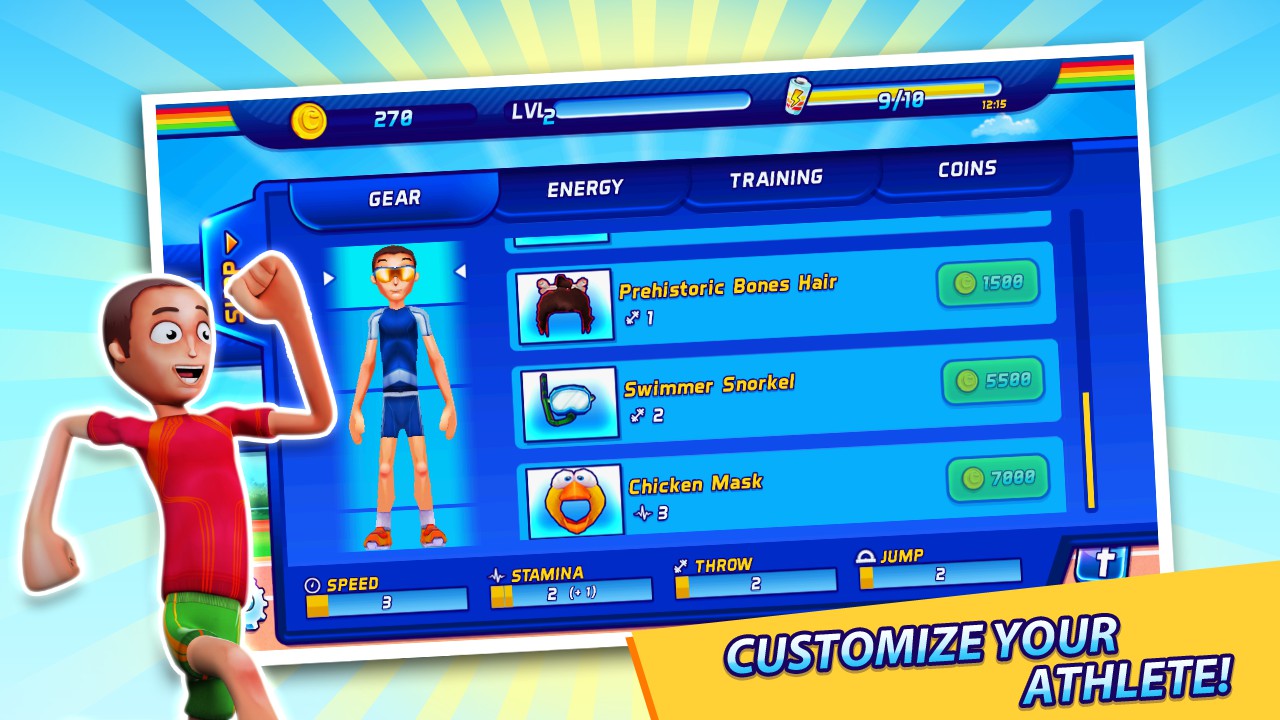
Who said money can’t buy a bit of success? Use your winnings to customise your athlete with more than 30 performance enhancing pieces of gear, training packs and energy supplements.

Features:

  • UPDATED CONTROLS, GRAPHICS AND GAMEPLAY
  • 8 DECATHLON LEAGUES TO UNLOCK
  • GO HEAD TO HEAD WITH YOUR FRIENDS IN REAL-TIME MULTIPLAYER COMPETITION
  • 10 ICONIC TRACK AND FIELD EVENTS TO COMPETE IN


Blur Overdrive now out on iOS and Android

Just a quick blog to report two great new made with Marmalade games for both iOS and Android are now available from Marmalade Play. The first of these games is a new top end racer called Blur Overdrive. You can download for Android on Google Play and iOS on iTunes.

Blur Overdrive

Experience Blur Overdrive, the stunningly chaotic powered- up racing game
The first game is Blur Overdrive, which is a top notch driving game. Having worked on creating around 6 racing titles for Electronic Arts in a past life I know how difficult it is to get it right and how easy it can go wrong. I’m happy to say that Blur Overdrive does a fantastic job at getting it right. Here’s more info:

Here’s a little video to whet your appetite:

Immerse yourself in the intense racing experience of Blur Overdrive. With eight insane power-ups this isn’t just racing, this is POWERED UP racing! The race track is your battle ground and you must shunt the other drivers to snatch the chequered flag and progress through the game. Buckle up and ride the beautiful chaos that is Blur Overdrive.

PLAY DIRTY
Collect and deploy eight pyrotechnic power-ups to aid your performance and damage rival vehicles. Barge, shock and shield your way to the finish line or use your nitro power-up to leave your opponents behind.

RACE HOW YOU WANT, WHERE YOU WANT
Blur has 9 different types of races to be won from a Showcase Battle to an Eliminator. Battle through the various races to reach new stages of competition and unleash your torque.

BUILD YOUR RACING EMPIRE
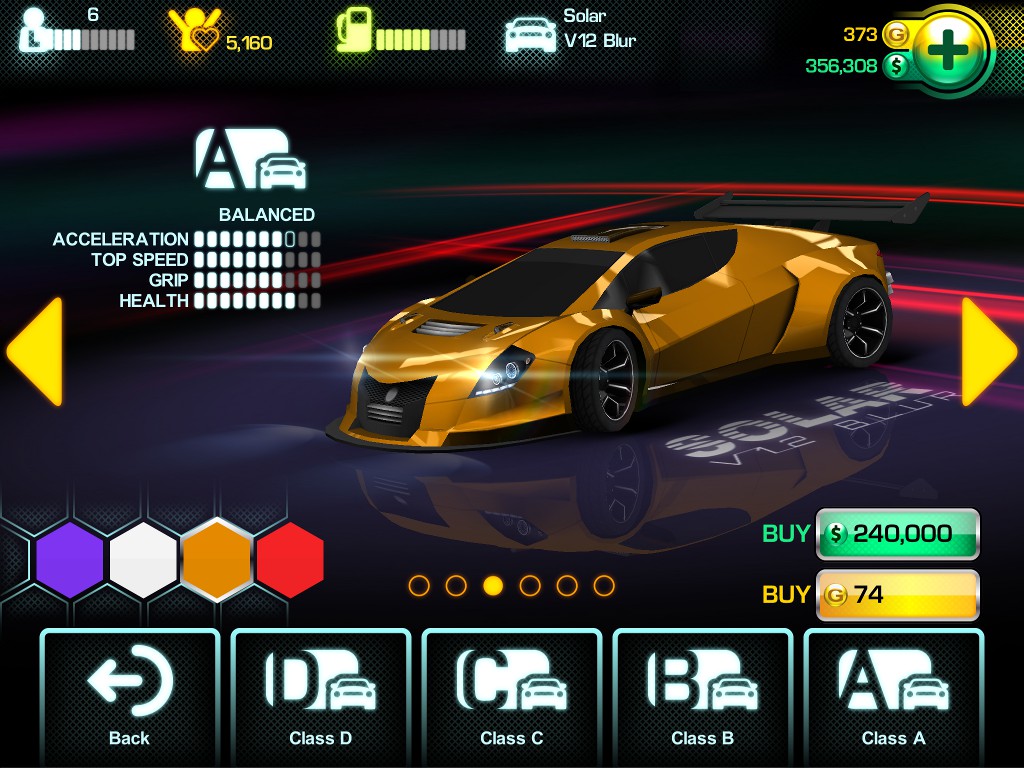
With your race winnings, browse the Showroom to purchase the car to conquer the next racetrack.

Features:

  • 4 RACING CLASSES AND 10+ SPECIAL EVENTS
  • 8 AWESOME POWER UPS – MINES, SHIELD, SHUNT, NITRO, SHOCK, BARGE, REPAIR & BOLTS
  • REALISTIC AND REWARDING HANDLING MODE ACROSS THE 4 CLASSES
  • 25 CARS TO OWN, DRIVE AND RACE
  • 250 CUSTOMISATIONS TO BEEF UP YOUR CAR


Marmalade 6.4 Gets Tizen Support

The latest and greatest Marmalade SDK 6.4 is out now. A number of cool new features have been added including:

  • Support for Tizen OS
  • iOS 7 and XCode 5 Support
  • Marmalade Quick has now been rolled into the Marmalade SDK

Enjoy!

Marmalade Offering FREE licenses


Get Marmalade SDK for FREE

Marmalade the developers of one of the most powerful cross platform mobile and desktop development systems the Marmalade SDK are now offering FREE licenses. Marmalade are committed to ensuring that developers have the tools to deploy to established and emerging platforms first.

What is the Marmalade SDK? The Marmalade SDK is an awesome easy to use cross platform SDK that enables cross platform development for smart phones, tablets and emerging technologies such as smart TV. Marmalade supports unified development and testing across iOS, Android, Windows Phone 8, BlackBerry PlayBook / OS 10, Bada, Windows, Mac OS X and soon Tizen.

Marmalade comes in three flavours:

  • Marmalade C++ – Develop and test 2D / 3D apps and games using a mature C++ API that covers everything from 2D / 3D graphics and audio to native UI and unified in-app purchasing
  • Marmalade Quick – Develop and test 2D apps and games using a very easy to use Lua API that covers everything 2D and audio to physics and unified in-app purchasing
  • Web Marmalade = Develop and test HTML based apps and games using a very easy to use JavaScript API

All of the above enable testing right on a Windows or Mac desktop, with easy device deployment.

AppEasy 1.4.9 Now Available – Polygonal sprites, multiple fixtures, sqlite and SVG, TexturePacker tools

AppEasy Version 1.4.9 is Now Available

AppEasy the cross platform mobile game and app development system for iPhone, iPad, Android and Windows that is aimed at all levels of experience releases latest update

AppEasy version 1.4.9 is now available for download from here.

Please upgrade to the latest version. Note that before updating, close down your current version of AppEasy, rename c:\AppEasy to c:\AppEasy2, install and run AppEasy 1.4.9 then copy any changes / certificates from c:\AppEasy2 to c:\AppEasy. Note that if you install the update before renaming c:\AppEasy then simply exit the AppEasy project manager, rename the folder and run AppEasy again.

New Tools:

  • New tool added that converts Texture Packer and SVG data to XOML

Core Engine Changes:

  • Timeline has new property called AutoDelete which if set to true will auto delete the timeline when its finished. Be careful not to delete timelines that are shared across multiple objects
  • Animation has new property called AutoDelete which if set to true will auto delete the animation when its finished being played by a timeline. Be careful not to delete animations that are shared across multiple timelines
  • Actors now support multiple physics shapes (fixtures) using the new Fixtures inner tag
  • Actor Shape property is now write only. Setting a shape will remove all previous shapes
  • Support for new Geometry type which enables creation of actors that are built from collections of triangles, quads or a polygon
  • Actor has new attribute called Geometry which defines a geometry that the actor will use to render itself
  • New example (Tes68) added that shows how to use Geometries
  • Removed Video OnStopped event as its no longer needed
  • Support for sqlite added
  • Added Test69 which shows a sqlite test
  • BUG FIX: Fixed VideoOverlay OnEnd and OnStart events

Polygonal Sprites

One of the most exciting changes we have brought to 1.4.9 is the ability to step outside of the rectangular sprite based actors system using our new versatile geometry system. Using the new geometry system you can create any shape you like. Actors can now be built from polygons, triangle lists and quad lists. You can also specify your own UV texture coordinates as well as per vertex RGBA information. AppEasy will handle taps and intersection of this new type of geometry including disconnected geometry. Here are a few examples of geometries:

[sourcecode language=”xml”]
<!–Create a single triangle–>
<Geometry Name="Geoms1" Vertices="-200,-200,200,200,-200,200" UV="0,0,1,1,0,1" Type="TriList" />
<!–Create two triangles–>
<Geometry Name="Geoms2" Vertices="-200,-200,200,200,-200,200,-400,-400,-200,-400,-200,0" Type="TriList" />
<!–Create a house shape –>
<Geometry Name="Geoms3" Vertices="-200,-200,0,-300,200,-200,200,200,-200,200" Indices="0,1,2,3,4" Colours="255,0,0,255,0,255,0,255,0,0,255,255,255,255,255,255,255,255,255,255" Type="Poly"/></pre>
[/sourcecode]

Once you attach any of the above geometries to an actor the actor will take on the new geometric shape:

[sourcecode language=”xml”]
<Icon Name="Sprite1" Position="200,0" Background="bg1" Geometry="Geoms1" />
[/sourcecode]

Physics Now Supports Multiple Fixtures

Actors now supports the new Fixtures inner tag that enables you to specify multiple shapes and materials etc that are attached to a single actor, e.g:

[sourcecode language=”xml”]
<Icon Position="0,0" Background="Land" Box2dMaterial="FixedHeavy">
<Fixtures>
<Fixture Shape="LandScapeBase" Box2dMaterial="FixedHeavy" CollisionFlags="1,1,1" COM="0,0"/>
<Fixture Shape="LandScapePeak" Box2dMaterial="FixedHeavy" CollisionFlags="1,1,1" COM="0,0"/>
</Fixtures>
</Icon>
[/sourcecode]

SQLite Added

Due to popular request we have added lsqlite3 to 1.4.9 which enables SQL interaction via Lua.

Asset Conversion Tool

A new tool has been added that facilitates conversion of Texture Packer and SVG data to XOML. In particular the tool enables you to use SVG editors such as Inkscape to layout game levels and app layouts as well as create complex geometries easily.

Finally Game / App Editor Started

Note to self, update my blog more often. These days my blog seems to have turned into an AppEasy update feed, well I want to change that and start blogging about other things (besides AppEasy).

Well, this blog post is not completely devoid of AppEasy news as the game editor will target AppEasy to begin with.

Today I want to blog about a new game editor that I have started work on (its a bit of a pet project because I’m getting fed up of writing game or app specific editors). The editor is tentatively called Groove Game Editor which will have the following features when finished:

  • Completely customisable – You can define all of the types of objects that can be edited along with all of the properties for those objects using an input XML file
  • Placement, scaling, rotation of game objects on a large virtual canvas
  • General layout, tile and zone maps
  • Automatic atlas generation
  • Resource management
  • Music and sound effects
  • Physics
  • Actions, events and triggers
  • Key frame animation editor
  • Lua scripting
  • Support for all XOML types out of the box
  • Support for HTML5, Marmalade Quick, Cocos2d-x, Corona, Gideros and other game / app development SDK’s and systems
  • Binary, xml and JSON export

Thus far I have implemented the customisation system which enables developers to create a single XML file that describes the following elements to the editor:
Enumerations – You can use these to define sets of possibilities, e.g.

Here’s an example that shows an enum for the Joint Type used by XOML joints:

[sourcecode language=”xml”]
<Enum Name="JointTypeEnum" Info="Physics joint type">
<Property Name="weld" />
<Property Name="distance" />
<Property Name="revolute" />
<Property Name="prismatic" />
<Property Name="pulley" />
<Property Name="wheel" />
</Enum>
[/sourcecode]

You can later use this as a type for object properties

Object Types – These represent specific types of objects that can be edited, for example Actors, Scenes, Images, Programs, Actions etc are each single types, e.g.*

Heres an example of a Box2D material:
[sourcecode language=”xml”]
<Type Name="Box2dMaterial" Base="Common" Info="Box2D material resource" Colour="#ffe4ff00">
<Property Name="Type" Type="Box2dMaterialTypeEnum" Category="General" Value="" Info="Type of material" />
<Property Name="Density" Type="double" Category="General" Value="1" Info="Material density" />
<Property Name="Friction" Type="double" Category="General" Value="1" Info="Materials coefficient of friction" />
<Property Name="Restitution" Type="double" Category="General" Value="0.1" Info="Materials coefficient of restitution / bounciness" />
<Property Name="IsBullet" Type="bool" Category="General" Value="" Info="Treat object as moving at high speed" />
<Property Name="FixedRotation" Type="bool" Category="General" Value="" Info="Prevent rotation of body" />
<Property Name="GravityScale" Type="double" Category="General" Value="1" Info="Amount to scale gravity" />
</Type>
[/sourcecode]

As you can see you can define the name of the type, the base, which is kind of like a base class in C++, the type inherits all properties of the base. Info is used for tool tips and the colour is the colour that will be used to display objects of this type in the resource view. There are other properties but I wont go into them right now. Within the TYpe tag is the properties, thee define the properties that can be edited along with their types, the category they appear under and the tool tip

Type Groups – Type groups are used to group together types that share similar function, e.g.

[sourcecode language=”xml”]
<Group Name="Basic Actors">
<Type Name="ActorImage" />
<Type Name="ActorConnector" />
<Type Name="ActorText" />
<Type Name="ActorParticles" />
</Group>
[/sourcecode]

Here we group together four different types into a group called Basic Actors. We can later use these to set up menu groups and other interesting stuff

Menu Groups – Finally we have Menu Groups. These are used to define how the user can create hierarchical data. Each menu group defines a list of types that can be creayed when the user attempts to create a child object within its hierarchy, e.g.:

[sourcecode language=”xml”]
<MenuGroup Name="NewAnimationChild" Context="Animation">
<Section Name="">
<Type Name="Frame" />
<Type Name="Atlas" />
</Section>
</MenuGroup>
[/sourcecode]

Here we create a Menu Group called NewAnimationChild that contains two possible types (Frame and Atlas), these are the only two possible types of objects that an Animation object can contain. The Context attribute specifies what type of object will use this menu for creating new child objects in its hierarchy. The Section tag specifies the name of the sub-menu that the type should appear under. In this case the section name is blank so Frame and Atlas will appear in the root.

Most other items and other parts of the editor will be defined in this customisable editor file.

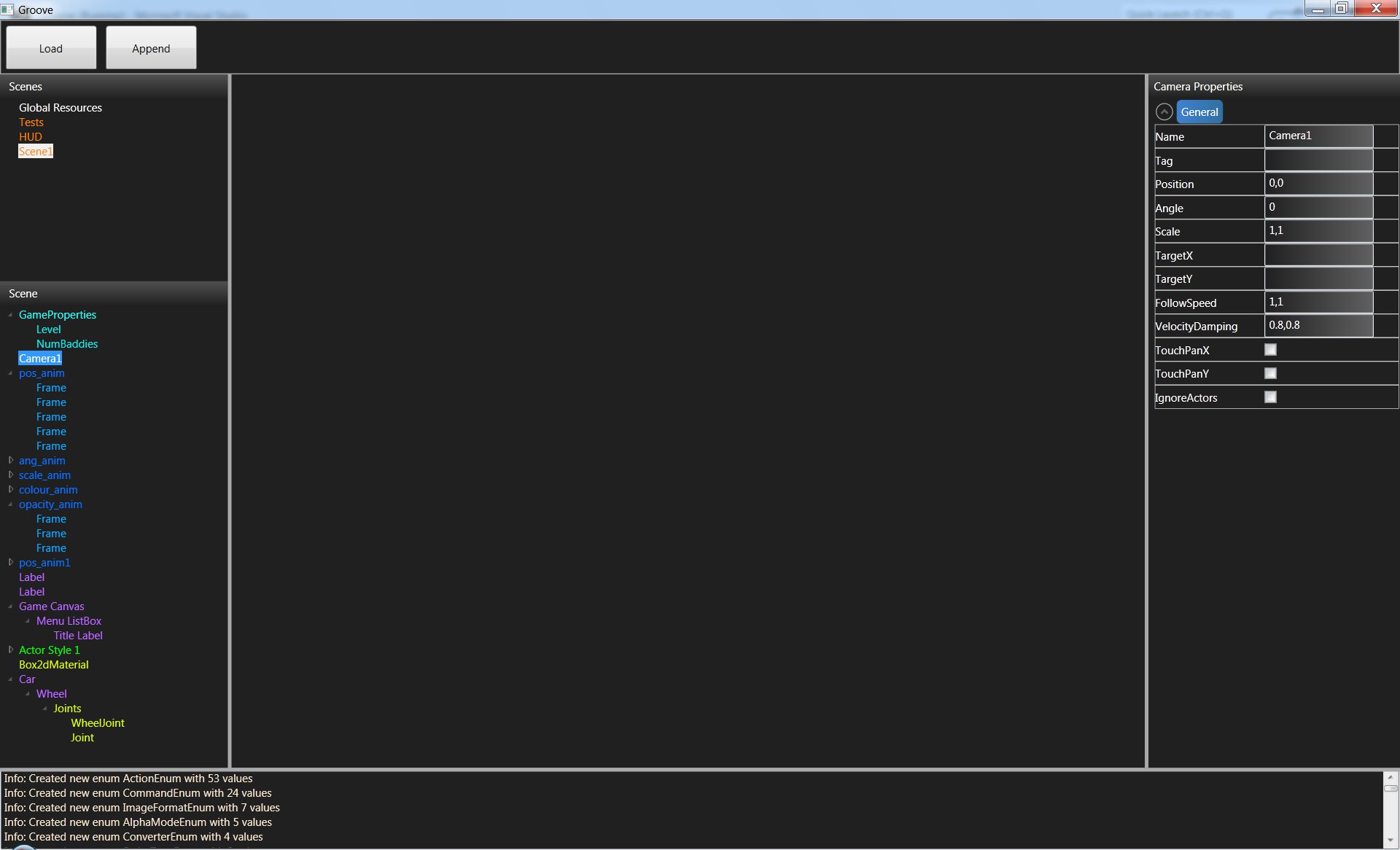
The editor is not currently in a usable state and only has the following functionality:
* Allows editing using all custom types, enumerations and menu groups that are specified in the editors definition XML file
* Loads files that are based on the editors definition XML file
* SUpports all AppEasy XOML types and enumerations using colour coding

Next on the list is export to XML. However, before I do that I need to get objects that are specified inside templates working. The problem I face is that the editor creates UI that allows you to edit specific types. For example, a bool type will use a check box and an enumeration will use a drop down list. Problem with this is that objects that are defined inside a XOML template can have parameters that are template parameters (strings), so the UI needs to change for all objects that are sat inside a template to allow these parameters to be modified. Problem is that Windows Presentation Foundation (WPF the technology that I am using to create the editor) uses data binding to specific types. I need to figure a way around this. I have a few ideas that I can try.

Once I have export working I will release a version for those that are interested in taking a look to play around with. For now I will leave this screen shot that shows my porgress so far:

Groove game editor
Groove game editor

AppEasy 1.4.8 Now Available

AppEasy Version 1.4.8 is Now Available

AppEasy the cross platform mobile game and app development system for iPhone, iPad, Android and Windows that is aimed at all levels of experience releases latest update

AppEasy version 1.4.8 is now available for download from here.

Please upgrade to the latest version. Note that before updating, close down your current version of AppEasy, rename c:\AppEasy to c:\AppEasy2, install and run AppEasy 1.4.8 then copy any changes / certificates from c:\AppEasy2 to c:\AppEasy. Note that if you install the update before renaming c:\AppEasy then simply exit the AppEasy project manager, rename the folder and run AppEasy again.

Core Engine Changes:

  • Added new Lua function particles.removeAll() which removes all particles from the actor
  • Added new Lua function resource.findOfType(resource-type-name, container (optional)) which returns a table of resources that are of the specified type
  • Added new Lua function scene.findOfType(scene-type-name) which returns a table of scenes that are of the specified type
  • RemoteReq now supports Header inner tags that enables you to add headers to requests
  • New RemoteRequest test example added (Test 64)
  • Added new Lua function actor.findAll(scene) which returns a table of all actors in a scene, including actors that are in the process of being destroyed
  • New lua library added called xml which deals with creating xml as well as loading and saving it
  • Scene Physics property can now be written to, however if the scene was not declared with physics enabled then it has no affect
  • Added new keyboard functions to Lua input library, getKeyPressed(), isKeyDown(key-code), isKeyUp(key-code)
  • Added new keyboard test demo (Test65)
  • Added new lua function sys.getTotalFrames() which returns the total number of frames that have been processed since app boot
  • Added new lua function sys.getFrameRate() which returns the current estimated frame rate
  • Added new lua function sys.pauseTime(paused (boolean)) which pauses / un-pauses time. Passing false will reset the time delay from the last frame, useful when performing long operations that take a long time such as loading and prevents sudden jumps at the start of a level
  • Added new lua function sys.isTimePaused() to test if time is paused
  • Added new SetPaused(paused (boolean)) action
  • Added new lua function variable.asTable(variable) which returns an array variable as a lua table
  • Added new lua function resource.create(type-name(string), parameters(table), parent(object, optional)) that allows creation of any type of XOML resource from lua (actors, scenes, images, fonts, etc..) (returns an instance of the created resource)
  • Added new lua function resource.createFromString(xoml-string (string), parent(object, optional) that creates XOML directly from a string
  • Added Anchor property to actors that enables you to change the anchor point between top-left and centre. Anchoring does not currently work with actors placed inside container controls such as list boxes
  • Added new lua function scene.updatePhysics(scene, time) – Manually calls the scenes physics update, can be used to stabilise physics world pre frame
  • Added new lua function scene.cleanup(scene) which cleans up deleted actors from the scene
  • Added new XOML type called Timer that enables actions to be called when they time out. Global resource manager, Actors and scenes each have their own timers manager
  • Added new Lua library called timer which enables interaction with XOML timers
  • Added new ChangeTimer action
  • Added new Test0 example that shows the use of anchors
  • Added new Test67 example which shows how to use timers
  • BUG FIX: When no actor is specified and scene is specified in CallActions the scene will now be used as the target
  • BUG FIX: Fixed bug in xml parser that wasnt correctly reading tag values
  • BUG FIX: Fixed crash that occurs when attempting to set a property that is read-only or read a property that is write-only
  • BUG FIX: Weld joint reference angle wasn’t correctly calculated for rotated objects
  • BUG FIX: Fixed box2d polygon vertex winding issue

Creating XOML from Lua

One of the biggest changes in 1.4.8 is the ability to create any type of XOML resource on the Lua side. This includes actors and even scenes. Lets take a look at a short example that shows how to create al label actor:

-- Create a XOML label from a table
local label = resource.create("Label", {
	Name="Label1", 
	Font="serif", 
	Position="0, -100", 
	Text="Hello World", 
	BackgroundColour="80, 80, 80, 255", 
	Background="Button1Brush", 
	Size="-100, 50", 
	AutoHeight="true"}, _scene)
-- Change the Text property
actor.set(label, "Text", "Hey man")

Also, it is now possible to instantiate a complete string of XOML from Lua. Lets take a quick look at an example:

-- Create XOML label from string
local xoml = [[
<Label Position="0, 100" Font="serif" Text="Test creating XOML resources from Lua" BackgroundColour="80, 80, 80, 255" 
Background="Button1Brush" Size="-100, -10" AutoHeight="true" IgnoreCamera="true" />]]
resource.createFromString(xoml, _scene)

Timers

Another great new feature that has been added is Timers. Timers are incredibly useful in game and app development. A timer can be created and given a timeout duration, when the timer times out an actions list will be called. Timers can repeat a specified number of time and can also delete themselves when finished, allowing you to use them in a fire and forget manner.

Actor Anchors

Its now possible to change the position of an actors visual anchor, so those of you that are used to working with placing sprites using their top-left anchor point can do so.

Remote Request Headers

Remote Requests now support headers allowing you to pass heads along with HTTP requests to your web services.

Pausing Time

We’ve now made it possible to pause and resume game time. This is very useful if you have operations that take a while to complete mid-game (such as loading) and can be used to prevent unrealistic frame time jumps.

AppEasy 1.4.7 – The Easy Cross Platform Development System for Mobile now Available for Download

AppEasy Version 1.4.7 is Now Available

AppEasy the cross platform mobile game and app development system for iPhone, iPad, Android and Windows that is aimed at all levels of experience releases latest update

AppEasy version 1.4.7 is now available for download from here.

Please upgrade to the latest version. Note that before updating, close down your current version of AppEasy, rename c:\AppEasy to c:\AppEasy2, install and run AppEasy 1.4.7 then copy any changes / certificates from c:\AppEasy2 to c:\AppEasy. Note that if you install the update before renaming c:\AppEasy then simply exit the AppEasy project manager, rename the folder and run AppEasy again.

Core Engine Changes:

  • ActorParticles has new property called VelocityAll which sets the velocity of all particles in the particle system
  • actor lua lib has new closest(actor, type) and furthest(actor, type) which return the closest and furthest actors from the specified actor
  • CallGlobalScript action now works the same way as CallScript
  • All lua functions now report file and line number errors
  • All command and actions now report error files and line numbers, although line number reported is the actions list or program that contains the problem action or command and not the actual problem action or command
  • ActorParticles has new attribute called AutoDelete, when set to true (default) actor is deleted when it finishes otherwise it is left in an inactive and invisible state
  • BodyAwake attribute added to actors which returns true if the physics body is awake
  • Destroyed attribute added to actors which returns true if actor has been marked as destroyed by the system
  • actions.call() can take a scene or actor. If neither are supplied then the containing actor or scene will be used as the target
  • sys.loadXoml() function added to load XOML files from Lua
  • Scene now has new OnPan event that gets called when the scene is panned
  • New actor.findOfType(type, scene) added that returns a table of all actors of the specified type
  • Bindings now support index variables
  • Adding to Position, PositionX and PositionY are no longer applied using the original position
  • PositionOrg, PositionOrgX and PositionOrgY added that do reference the original position (write only and cannot be set, only used for adding)
  • Added new particles lua library that can be used to interact with the particles within an ActorParticles based actor
  • ActorParticles Gravity changed from float to vec2
  • ActorParticles has new ParticleCount property
  • BUG FIX: Calling global script from actions in actor container was not passing in container actor
  • BUG FIX: Memory leak when adding a tag other than particle inside ActorParticle definition
  • BUG FIX: Particles depth broken in ActorParticles
  • BUG FIX: Some events were not being over written when set via properties
  • BUG FIX: actor.add() fixed
  • BUG FIX: Setting opacity property did not work as intended
  • BUG FIX: When setting variable to a whole number from lua, trailing zeros are now removed
  • BUG FIX: Box2dMaterial was not being applied when set as a property
  • BUG FIX: OnCollisionStart / OnCollisionEnd was being called for each actor that the target actor collided with

Error Reporting

We have done more work on the error reporting system, you will now find more meaningful error reports in debug.txt, including file names and line numbers.

Programmable Particle Systems

Particle actors have been made more versatile, including providing a new lua API (particles) that provides direct access to individual particles.

Other stuff

Scenes now support the OnPan event, which is called when a user pans the camera in a scene. The sys lua library also now allows loading of XOML files from lua.