Want to see how some of the internals of Murder Detective 2 works and how it was developed using AppEasy? If so then check out our new Making of Murder Detective 2 article>/a>
Murder Detective 2: Corruption Available – Made with AppEasy
Murder Detective 2: Corruption Made with AppEasy
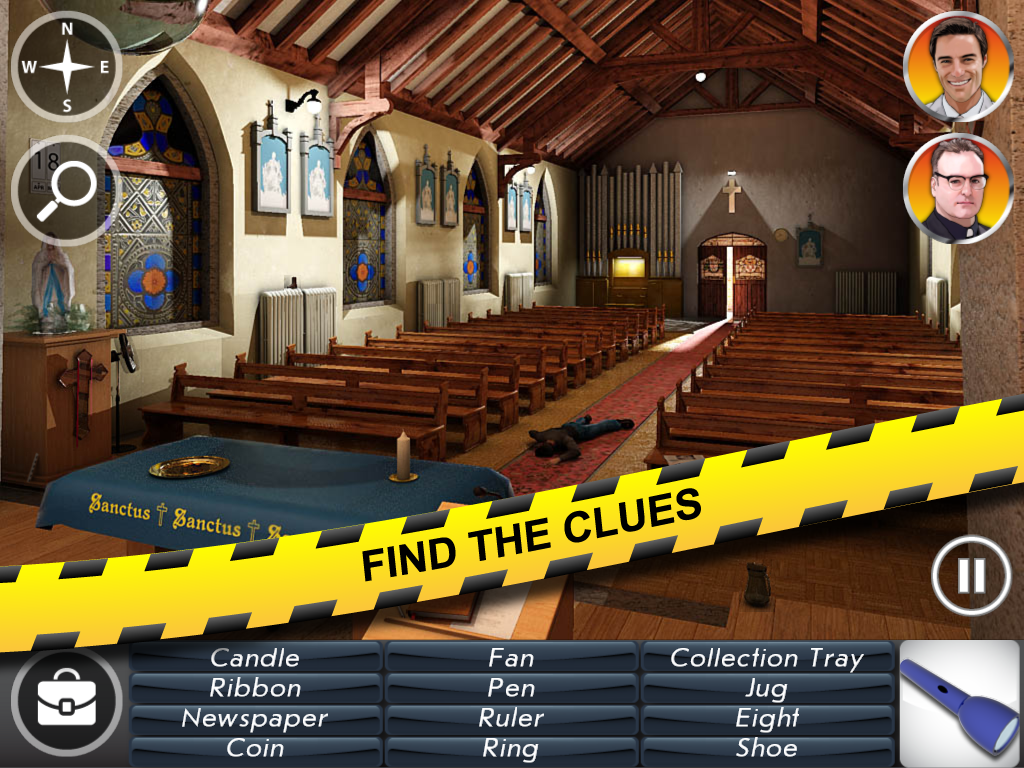
I’m pleased to announce that our team at Pockeeters has finished a brand new AppEasy powered game for Australian based developer Tournay Software. The game is called Murder Detective 2: Corruption and was developed with AppEasy. In fact, some of the features of the game helped shape many of the features of AppEasy that you see in the latest release.
AppEasy is a cross platform game and app development system that enables easy development using XOML mark-up and Lua.
The game is currently available on iTunes for iOS and Google Play for Android
The games features include:
* A thrilling murder mystery storyline.
* Mini games and puzzles.
* Hidden objects.
* Interact with characters.
* Cinematic cutscenes that enhance gameplay.
* Inventory interaction.
* Plenty of locations.
* A must for any murder mystery fan.
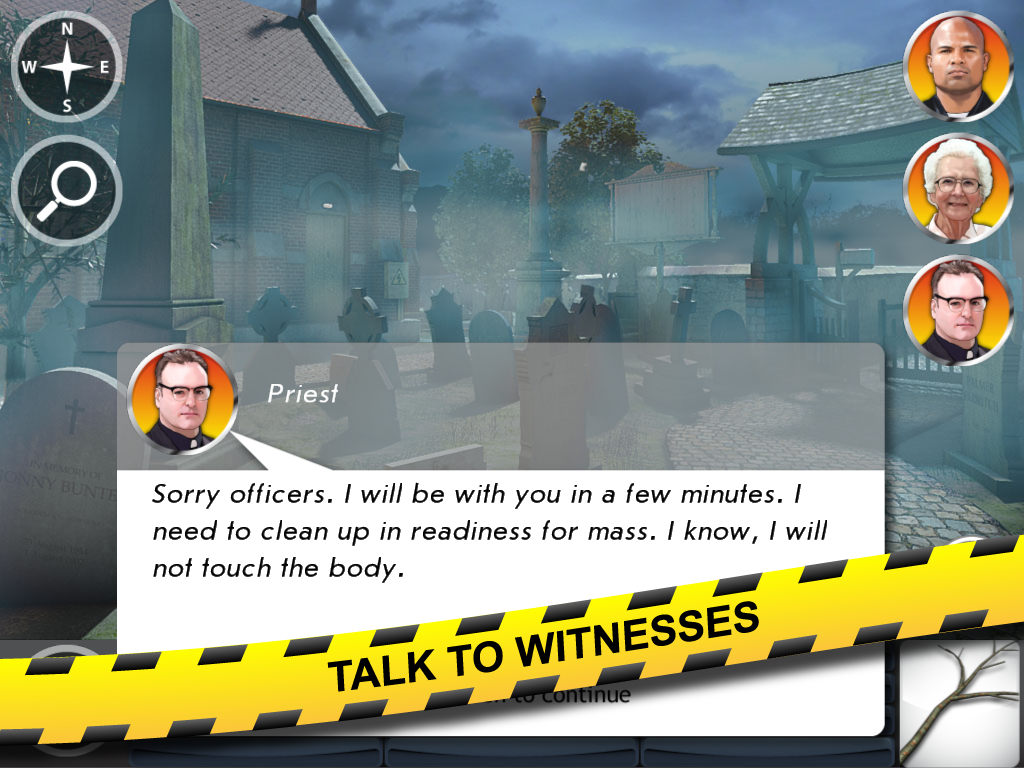
The Android version of the game will be available very soon.
Murder Detective 2 is the first fully fledged Pocketeers produced commercial game utilising many of the latest features of AppEasy and shows just how powerful and flexible AppEasy has become.
Very soon we will post a small post mortem that examines how and what we did to create the game using AppEasy


AppEasy 1.4.6.1 Now Available
AppEasy the cross platform mobile game and app development system using XOML and Lua has received a new major update. See http://www.appeasymobile.com for more details. AppEasy is currently in FREE open beta.
Core Engine:
* Scene property can now be retrieved from actors
* physics lib now has setJointBodyA and setJointBodyB
* Actor, scene, camera and user properties can now all be set via a string, number, boolean or vector types (Optimisation)
* Added new Ads example (inner-active and leadbolt, we will add more to the mix in the future and turn it into a first class API)
* BUG FIX: Crash when passing no table to template.from()
* BUG FIX: Incorrect web view size / position on Android
You should find that the new way to set properties is much faster than setting them with strings as the data does not need to be converted from string to the required format.
The Ads example is also directly usable, just edit the Lua code behind file and change the id’s to your own!
AppEasy 1.4.6 the cross platform app creation system is now out!
AppEasy the cross platform mobile game and app development system using XOML and Lua has received a new major update. See http://www.appeasymobile.com for more details. AppEasy is currently in FREE open beta.
AppEasy 1.4.6 is now available for download. Changes include:
* TextFilter attribute added to UI labels
* Added market.restore() to restore previous purchases
* Added market.products() which returns a table of all product ID’s in the market
* Added market.price() which returns the price of a product
* Added market.name() which returns the name of a product
* Added variable.count() which returns the actual number of used elements in the variable array
* ActorText now supports animation Text target property
* actor.bringToFront(actor) added to bring an actor to the top of its child hierarchy
* Added new load_xoml command to programs
* New system variable (index 11) which holds current screen orientation in degrees
* New Lua display,width(), display.height() and display.orientation() script functions added
* New input.setAccelerometerRef() and input.getAccelerometerOffset() functions added
* Market products no longer support an ID
* market.findbyID() has been removed
* market.products() now returns product names and not ID’s
* market.setCallback() added
* Callback removed from market.purchase()
* market.lastPurchase() has been replaced with market.currentProduct() which now returns the last attempted refunded, restored or purchased product.
* sys.yield() added
* variable.save() added to force save a XOML variable
* Variables have new attribute called Instant. If set to true then the persistent variables value is saved as soon as it is changed. Marking a variable as instant will automatically mark it as persistent
* Added new change command to programs which enable you to start, stop, pause and restart a program
* Added new media.enableMusic(enable) and media.enableSound(enable) to enable / disable music and sound globally
* Added new AudioEnable action which enables / disables music and sound (P1 = music_enable, P2 = sound_enable)
* sound command 5th parameter changed from target scene to repeat (boolean)
* Current scene is no longer brought to front of scene stack when new scenes are added. This will need to be done manually, or you can use the more appropriate scene layering system
* KillAllScenes action now accepts up to 5 scenes to exclude
* Video now supports OnStopped event
* VideoOverlay now supports OnError event
* WebView now supports OnPageLoaded, OnPageLoading and OnPageError events
* CallActions parameters changed to actions-name, parent-actor-name, parent-scene-name
* PlayTimeline will now restart a stopped timeline
* More resource properties exposed to property setters / getters, animation targets and bindings
* Actor HitTest replaced with Tappable
* Added new UserProperties to scenes and actors. UserProperties allow you to add any number of custim user defined properties to actors and scenes
* New SetUserProp(PropertyName, Propertyvalue, actor, scene), AddUserProp(PropertyName, Propertyvalue, actor, scene), SetUserPropToVar(PropertyName, VariableName, actor, scene) actions added
* New set_userprop(PropertyName, Propertyvalue, actor, scene) command added to programs
* New userprops LUA library added that provides set, get, add and find user properties
* You can now change templates and the data source assigned to grids and list boxes in real time
* All time related properties now work in seconds instead of per frame (scale up by 30 to convert to new system)
* New camera lua API
* Array index variables can now be used in actions and commands (e.g. my_array:my_index)
* BUG FIX: Crash bug when adding actors to layout panel actors such as grid, stack panel, list box and wrap panel
* BUG FIX: Label Text and Font properties now returned correctly
* BUG FIX: Label with autoheight and proportional sizing set changing size when tapped
* BUG FIX: Label / text actor actor height fixed
* BUG FIX: Fixes to market
* BUG FIX: Scene panning on y-axis not stopping at extents properly
Apologies for any changes that force you to make modifications to your existing XOML / Lua but these changes are essential for moving forward.
Documentation and XOML schema has also been brought up to date with 1.4.6
Lastly, note that all of the old examples have now gone and have been replaced with a single Tests example. This to a) clean up the examples folder to make way for bigger better examples and b) enable you to see all of the features in a single app instead of having to build, deploy and test each individual example.
Book Review – Marmalade SDK Mobile Game Development Essentials
I recently obtained a copy of a new book called Marmalade SDK Mobile Game Development Essentials by Sean Scaplehorn, which is currently the first and only book available that covers the Marmalade SDK. The Marmalade SDK is a cross platform game and app development system for a number of mobile devices including Android and iOS, which I have been using now for a few years. With this book being the first and only book and considering that I had spent so much time writing tutorials to help bring would-be Marmalade developers get up to speed that I felt inspired to review this book. In addition, I was approached by Packt publishing some time ago to write this book, but unfortunately due to my busy schedule I had to forego the opportunity. So once I heard that the book was out you can bet I’m gonna read and scrutinise it 🙂
Ok, the first thing I do with all new books is take a scan through the chapter list to see how much content is there, I can usually judge a books value from the contents pages. I’m happy to say that this book passed my initial contents inspection. There’s quite a lot of content squashed into a relatively short book.
The book begins with a short introduction to the Marmalade SDK, including step by step instructions on how to install and setup Marmalade on your computer. It then moves on to building a fairly simple Hello World application complete with a step by step explanation of each of the parts of the program. The book then progresses on to explain many of the Marmalade API’s, below I will cover each section of the book:
* Resource management – This section covers Marmalade resource management. You should pay particular attention to this section as resource management is one of the most important things to get right when developing cross platforms apps.
* 2D Graphics – This section compares IwGL, IwGx and Iw2D then goes into in-depth details of IwGx (my favourite Marmalade graphics API), including materials, streams, textures and polygons
* User Input – This section covers detecting key presses, touch screen (including multi-touch) and accelerometer (would have liked to have seen compass covered also). Gestures sample project is good as it shows how to detect swipe and pinch gestures, something many developers have trouble with
* 3D Graphics – This section has a short introduction to 3D graphics, followed by an explanation on how to render 3D shapes with IwGx (polygon by polygon),, description of view / model matrices. The chapter then moves on to show you how to get data from popular packages such as Blender / 3DS Max into a format that Marmalade can use using the Marmalade supplied exporters. Finally the chapter covers rendering exported 3D data using Marmalades IwGraphics API.
* 3D Animation – This section covers basic PAS animation using matrices, morph target and bone animations, although morph target animations are not covered as in depth as I would like to have seen. I did however have a fair bit to learn from this chapter.
* Fonts, User Interfaces and Localisations – This chapter starts out by covering IwGxFont and bitmapped fonts, including building bitmapped fonts from Marmalade Studio Font Builder. I will admit that I personally prefer and would recommend looking at true type fonts instead (see IwGxFontCreateTTFontFromBuffer for reference) as you do not have to deal with intermediate tools such as the font builder. The author briefly touches on IwUI and IwNUI for user interfaces but opts to roll his own solution which I completely agree with because IwUI is difficult to get to grips with and IwNUI is only supported by Android and iOS, although I would have liked to have seen IwUI / IwNUI covered in a separate section for completeness.
* Sound and Video – This chapter covers playback of compressed audio (for in-game music), playback of sound effects and video playback.
* Support a wide range of devices – This chapter has to be by far my favourite. It not only covers handling different device capabilities and screen resolutions (things that will plague you unless you get the right at the start), it also covers other topics such as dealing with application configuration files, multiple resource sets and compression. This is a must read section, even for advanced Marmalade developers
* Social media and other online services – This chapter covers logging in and out of Facebook as well as posting information to the users wall using the Facebook Graph API. It briefly explains other services that are available but doesn’t venture into any of them with much depth. Hopefully a 2nd edition will delve deeper into these services.
* Extensions Development Kit – If you are coming to Marmalade from iOS or Android and have libraries of code that you would like to use in your Marmalade project, or maybe you want to simply integrate a 3rd party iOS or Android specific API into your app then the EDK is essential for you. The EDK enables you to call those libraries from Marmalade without too much hassle. The Marmalade EDK is impressive and this section is definitely worth absorbing. The author covers the creation, building and usage of an EDK extension for Windows, iOS and Android, providing an excellent step by step introduction to the EDK.
* The skiing app – I must say that I am impressed with Seans example skiing game, he not only provides a 2D version, but also a full 3D version. The code contained in these apps is invaluable for beginners.
In summary, I think that Sean Scaplehorn has done a great job and I would recommend this book to any would-be Marmalade developer, even seasoned Marmalade developers may have a few things to learn from it. I thought I knew just about everything about the Marmalade SDK, but this book proved that there are still a few corners that I need to investigate. I can say that I wish that this book was available when I first started my Marmalade journey. Marmalade is not the easiest of SDK’s to learn to use, but it is the best in my opinion, so its worth the time and effort to learn it properly and go on to create wonderful things. This book will help you along this journey much quicker than stumbling around in the dark the way I did when I first started using Marmalade. The accompanying sample code is also well written and well commented providing a good starting point for your own projects.
Overall I give the book a 9 out of 10. I would liked to have seen more coverage of the likes of True Type Fonts, In-app Purchasing, IwHttp and IwNUI. If a 2nd edition is forthcoming and these sections are covered then I could quite easily give an extra point.
New Marmalade SDK Developer Book
Packt Publishing have brought out a new book that mabny of you should know about called Marmalade SDK Mobile Game Development Essentials. I’m hoping to get a review of the book up over the weekend.
Mooniz Needs a Developer (work from home)
The publisher of Mooniz is currently looking for a capable Marmalade SDK developer to convert their Marmalade iOS title to Marmalade for Android, with the possibility of future work for porting to Windows Phone 8 (Marmalade). If you are interested then either contact them< directly/a> or drop a post on this thread.
Chain Word – For Playbook & BB10
New made with Marmalade and IwGame Engine game now available for PlayBook and BlackBerry 10 OS devices. In the developers own words:
“Well, after only 3 weeks work my latest game – Chain Word – has been approved for sale on the BlackBerry app store.
It was written using IwGame 0.4 for Marmalade, and I’ve been very impressed with the API. Today I have added support for Scoreloop leaderboards, and will be adding Challenges soon (not uploaded yet though). I may also produce a free version with adverts / IAP.
A simple word game – how long a chain can you make?
– Start with a 3 or 4 letter word
– Add, Remove, Change or Swap letters to make a new word
– Repeat!
If anyone wants to know how I achieved anything, please let me know and I will post the relevant codes. I also have this crazy thought running round the back of my head about open-sourcing the thing, but I’ve modified the IwGame engine slightly so I’m not sure how that would work…”
Congratulations to SyGem Limited on an excellent product well done.
Marmalade 6.2 is here
Marmalade 6.2 is finally here, changes include:
– BlackBerry QNX: added new BlackBerry platform – BlackBerry 10.
changed deploy options prefixes from “playbook-” to
“blackberry-“.
Changed deploy setting from “playbook-access-shared” to
“blackberry-permissions-access-share”.
Differentiate deploy setting “playbook-icon” to
“blackberry-playbook-icon” and “blackberry-phone-icon”
(i.e. BlackBerry 10 too).
– BlackBerry QNX: Fixed bug where S3E_DEVICE_OS_VERSION was returning a line
feed and extra numbers after the version string.
– iOS: iOS launch image is used to display splash screen unless SplashScreenFile
setting is specified in app.icf
– BlackBerry QNX: Added extension s3eBBAppWorldBilling to provide developer
access to the In App Purchase functionality within the
BlackBerry App World.
– s3eAccelerometer example: stop drawing lines outside of application’s surface.
– iOS: S3E Surface and IwGX switched to native device orientation handling mechanism
– iOS: Libraries and Frameworks for EDK were updated to iOS 6.0
– Bada: Bada platforms were deprecated
– iOS: Added iPhone5 support (4-inch Retina)
– iOS: iOS loader was updated to ARMv7
– BlackBerry QNX: Removed dependencies on BlackBerry NDK and improved setup
and signing processes. The BlackBerry tools are now fully
integrated into Marmalade so you don’t need to install the
BB10 or PlayBook NDKs. Singing is now fully supported by the
Deployment tool. Documentation updated.
– BlackBerry QNX: Fixed issues with malformed packages when signing builds.
– Added GL_OES_matrix_palette support for iOS.
– Added possibility to get process ID using s3eDeviceGetInt
– mkb: default arm-fpu value is detected according to arm-cpu.
– mkb: default arm-cpu is set to 5TE.
– Blackberry QNX : Use ICF setting WindowSuspendOnFocusLoss to control
whether to suspend the application when it loses focus
– Android: Fix IME Extension crash when calling buffer and compiler errors
– s3eIOSGameCenter: Fixed TimeScope manipulation.
– Fixed missing UIDeviceFamily key,value pair in Info.plist for iPhone-only builds.
– Fixed PVRVFRAME in Windows registry to be turned off by default.
What does it mean? For starters we can now target BlackBerry OS 10 devices and the buggy signing process has finally been fixed, opening up another app market with great potential.
Its sad to see that Bada support has gone, but then again Bada are deprecating the Bada OS anyway so not love lost there.
Support for iPhone 5 4-inch retina and iOS 6 for the EDK so you access those new juicy iOS 6 features.
Changes are Coming Soon
Very soon IwGame will be transformed into a new form known as the AppEasy Core SDK. AppEasy Core SDK is the new version of the IwGame Engine that has been tidied up and made portable, making it easily portable to other platforms. Initially AppEasy Core will support the Marmalade SDK as a target platform with support for the following platforms being added over the coming months:
- Cocos2d-x
- iOS native
- Android native
- Windows XP/7/8 native
- Windows Phone 8 native
- BlackBerry OS 10 native
- HTML 5
Our aim is to bring XOML to as many platforms as possible, making mobile app and game development as easy as possible for everyone.
We will also be creating AppEasy players for all of the supported platforms to enable C++ free development for everyone.
To keep tabs on the progress of our project take a look over at http://www.appeasymobile.com