A friend of ours Effervescing Elephant Interactive is currently looking for freelance Marmalade / Unity coders. If you are a developer with a fair amount of experience then please get in touch
XOML Conditions – New IwGame Feature Coming Soon
Thought I would put a quick update outlining what’s happening with the IwGame Engine. In-app purchasing has been started, so hopefully that will make it into 0.32. We are looking at a way of combining iOS and Android in-app purchasing into the same system (CIwGameMarket). Will provide more details when the system is up and running.
One cool change that’s just been finished is XOML Conditions. XOML conditions are variables that evaluate to either true or false and their value is an expression of other variables. Lets take a quick look at an example:
<!--Create a bog standard int variable that contains the current level --/>
<Variable Name="current_level" Type="int" Value="1" />
<!--Create a condition variable that tests that the current level is between 1 and 9 --/>
<Variable Name="low_level_extras" Type="condition" Value="current_level GTE 1 AND current_level LT 10" />
The above condition variables value is basically an if statement which translates to:
if (current_level >= 1 && current_level < 10)
But what use is that to anyone you may ask?
Lets consider that we have an actions group such as that show below:
<!-- Next scene action -->
<Actions Name="NextScene">
    <Action Method="LoadXOML" Param1="MainScene.xml" />
    <Action Method="LoadXOML" Param1="LowLevelExtras.xml" Condition="low_level_extras" />
    <Action Method="KillScene" />
</Actions>
The above actions set would usually just load the MainScene scene and run it then load the LowLevelExtras scene and run that. However using the condition variable LowLevelScene will only be loaded and ran if the condition variable low_level_extras equates to true, allowing us to only load the extra stuff if the level is between 1 and 9. The condition variable is evaluated at run-time so you can change variables and affect the result, allowing a very dynamic system to be put together.
It may seem like a small change but it adds the ability to add mark-up side logic, which IMO is huge. My mind is whirring away with ideas for its use at the moment!
Conditions can be attached to individual actions as well as actions groups
XOML Bindings
XOML bindings are currently being implemented (nearly finished). This allows you to bind properties of objects such as actors and scenes to XOML variables using a bindings list. When you change the value of the XOML variable it also changes the value of the property that it is bound to. This system will be particularly useful for hooking up UI’s and HUD’s to in-game data.
iPad 3 Prices and Availability
Ok, its finally here the awesome iPad 3 with is uber super 2048 x 1536 pixel retina display resolution! Its availabl now in the US and March 16th in Canada, UK, France, Germany, Switzerland and Japan.
Prices go like this:
- 16GB – $499 / £399
- 32GB – $599 / £499
- 64GB – $699./ £599
The IwGame Engine is gonna kick some serious a** on iPad 3!
Will need to upgrade the graphics in cOnnecticOns to account for the higher resolution display
cOnnecticOns v2.0 Available on Android – Share those Puzzles
We’ve updated cOnnecticOns for Android (other platform versions are waiting for approval and will be appearing soon). – https://play.google.com/store/apps/details?id=com.pocketeers.connecticons
New changes include:
- You can now share puzzles that you create with friends no matter what phone or tablet they have, even none Android phones and tablets
- Some graphical improvements
- Additional help screens added
- Bug fixes
The new level sharing feature is cool. Server side it is completely file based and requires no use of a SQL database. Players can upload up to 20 of their own puzzles to our server where it will be stored for download by other players. All a player has to do is post the short numeric code to Facebook, Twitter, text / email etc and the recipient(s) simply enters the code into the game. The puzzle is then downloaded into the users selected puzzle slot so they can play it.
No complicated sign-up / login process is required as the user is assigned a unique user ID when they first upload a level.
The best feature is that puzzles can be shared across any device be it Android, Playbook, iOS, Bada or even PC / web (when those version become available)
We are considering adding stats in there so players can determine how many times their puzzles have been played, the best scores and how many times users have beaten or failed their puzzles.
Facebook Posting – Please Help
Hi Everyone,
If you have tried posting to Facebook using CIwGameFacebook or using the cOnnecticOns game and had success or trouble can you please let us know. One of our developers is experiencing issues with iPod Touch and Android. Please leave your feedback on our forum if possible at http://www.drmop.com/index.php/topic/facebook-post-not-working-in-ipod-touch/
Thanks
Mat
cOnnecticOns for iOS now FREE!
Hey everyone, we decided to make cOnnecticOns FREE for a few days to increase its visibility and hence visibility of the IwGame Engine. If you haven’t already downloaded it then please take a look at http://itunes.apple.com/us/app/connecticons/id505645452?mt=8
Please consider leaving us a nice review, it only takes 2 mins!
cOnnecticOns Now Available for iPhone, iPad and iPod Touch

Great news. cOnnecticOns is now available on the Apple iTunes app store. Woohoo, passed fist time!
It’s available for almost a kings ransom ($0.99 in earth money). For those of you that are as bad off as me, here are a few promot codes so you can grab a FREE copy:
3KYAR49RTMMM
LLHREAPKT6W3
FKA3R6L6PJPF
J6AN4AWK3T9F
ETTWL46PYE4W
Please consider leaving a nice review. It’s always nice to see a good review 🙂
IwGame has a forum!
Finally got a bit of spare time to mess with the blog and install a support for the IwGame Engine and IwGameAds.
Feel free to drop by and leave any suggestions, bugs or just chat about what you are working on etc..
Our new support forum is here. You will also notice the forum topics list down the right hand side of the window
IwGame Engine v0.31 Released – Facebook and Full cOnnecticOns Source Available

New here? What’s IwGame? IwGame is an open source free to use cross platform game engine for iPhone, iPad, Android, Bada, Playbook, Symbian, Windows Mobile, LG-TV, Windows and Mac, built on top of the Marmalade SDK. You can find out more and download the SDK from our IwGame Engine page.
Its been a tough week, my Apple Mac blew a gasket and refused to boot. Didn’t know this until I had spent 4 hours trying to make the Mac boot from Snow Leopard, but you cannot boot a Mac Mini from any version of the OS other than the original version that came with the Mac! Arrrgggghhhhh, insanity! In the end I turned my office and house upside down to find the original Mac disk.
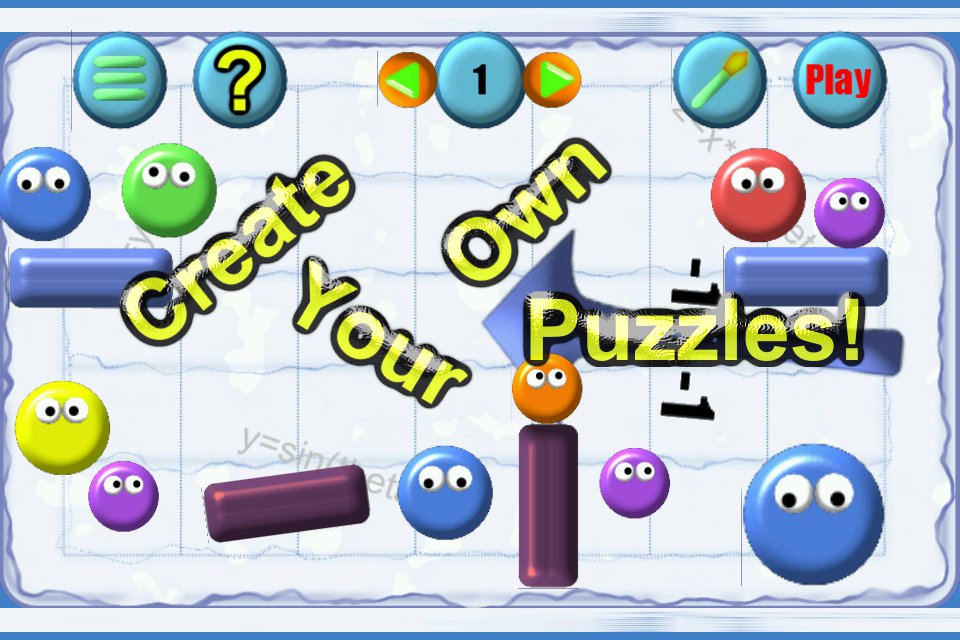
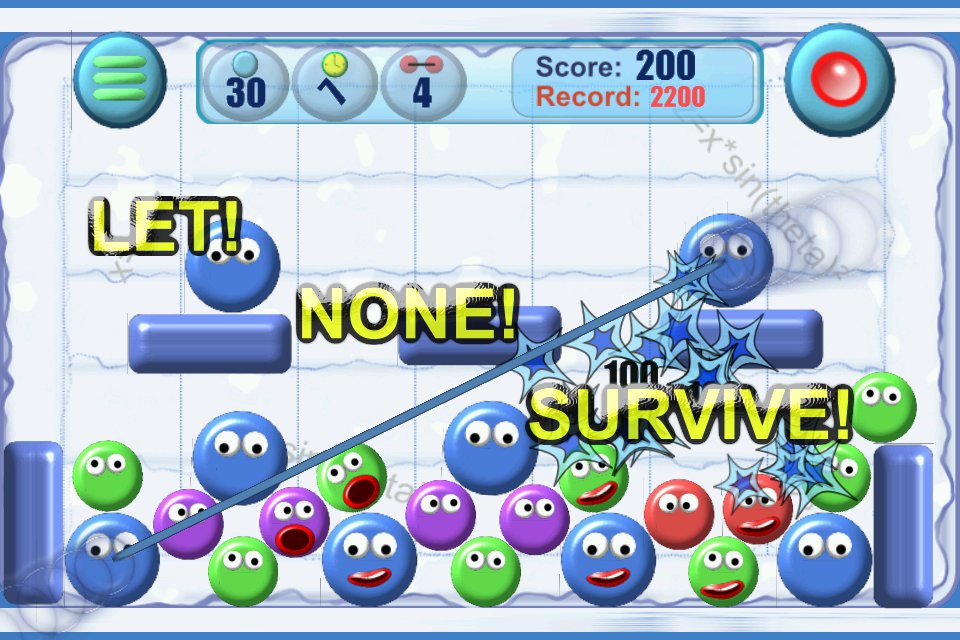
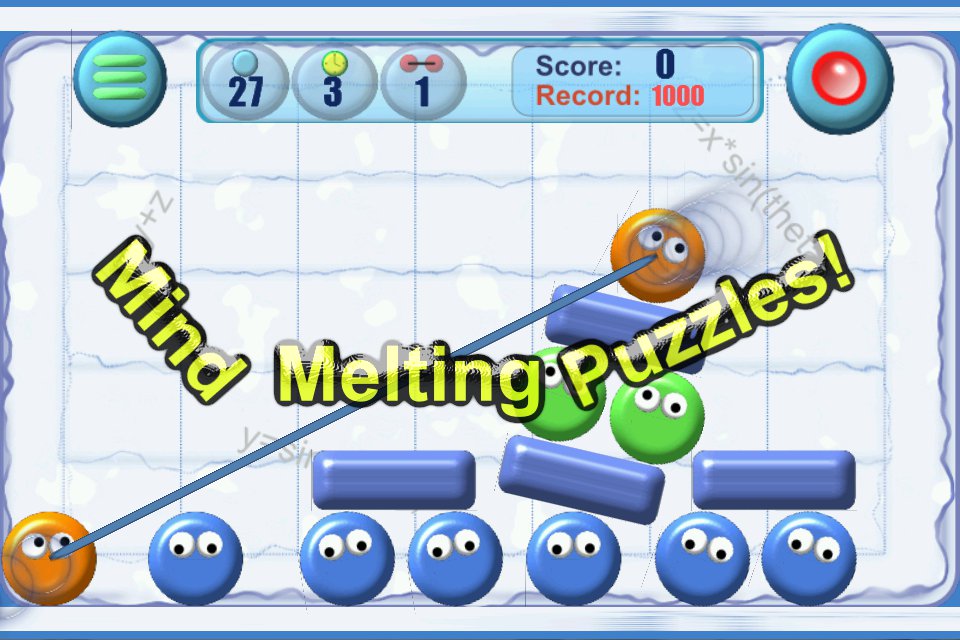
Finally got cOnnecticOns cleaned up and submitted to the app stores. I also added 10 more levels and a game editor that allows players to create up to 20 of their own levels on-device and play them. I plan to allow sharing of these custom levels in a future version. We also added Facebook posting to IwGame and therefore has now been added to cOnnecticOns. You can find our more info about the game at http://appliter.com/apps/connecticons/connecticons.aspx
Ok, onto the update. IwGame v0.31 is kind of a special release because it contains the FULL source and assets of the game that you will see on Android Market and very soon Blackberry App World, Apple iTunes and SamsungApps for Bada.
Here’s the full list of changes for 0.31:
IwGame 0.31 Changes:
- cOnnecticOns full commercial game with source and assets provided as an example of engine usage
- CIwGameFacebook added – Currently provides login and wall posting access
- New AddVariable action added which allows you to add a positive or negative value to a XOML variable with limits
- New EnterValue action added that brings up the devices keyboard allowing the user to enter a value into a XOML variable
- New UpdateText action added will update a text actor with the value of a variable
- New Exit action added that allows the user to exit the game
- 3rd paramater added to XOML actions
- DoSleep added to CIwGameBox2dWorld to enable / disable object sleeping, also added to scene XOM
- IIwGameXomlResource now has an actual type, allowing type checking for exact object types
- OnKeyBack and OnKeyMenu events added to scene and XOML. These fire when back and menu keys are pressed
- BUG FIX: CIwGameSprite position and origin now 32 bit vectors, which helps prevent positions overflowing
- BUG FIX: When a scene is destroyed and it has touch focus it was causing a crash
- BUG FIX: If a scene becomes inactive or invisible it now loses touch focus
- BUG FIX: Velocity / angular velocity now applied when actors have no physics attached
- BUG FIX: JPEG image data is now correctly converted from BGR to RGB
- BUG FIX: CIwGameString, find index now properly reset
As well as the release of the full source for cOnnecticOns, we also snook a few extra col bits and bobs in there.
New CIwGameFacebook Class
The main purpose of this class is to allow the user to log into facebook and interact with it. Right know, only logging in and wall posting functionality is provided using the following method:
bool PostWall(const char* message, const char* link_uri, const char* image_uri, const char* name, const char* description);
- message – Message to display to the users wall visitors
- link_uri – URL that the user will visit when clicking on the wall post link
- image_uri – URL of an image that you would like to be displayed along with the post
- name – The title of the post
- description – Description of the post (displayed in weaker font beneath title)
A Facebook wall post will look something like this:

New XOML Actions
It is now possible to add a value onto an existing XOML variable using the new AddVariable action. You can also update a text actor with the value of a variable in XOML. Here’s an example showing how the editor in cOnnecticOns uses both actions together to create an up / down UI element that the player can use to change the number of cOnnecticOns available in the level:
        <!-- Create change connecticons buttons -->
        <InertActor Name="ConnectButton2" Position="0, -200" Size="81, 84" SrcRect="555, 482, 81, 84" Image="sprites1">
            <ActorText Name="ConnectButton" Depth="0" Font="trebuchet_12" Rect="-100, -50, 200, 100" Colour="0, 0, 0, 255" Text="2" />
            <InertActor Name="DownButton" Position="-60, 0" Angle="-90" Size="48, 51" SrcRect="868, 299, 48, 51" Image="sprites1" Depth="0" OnBeginTouch="DownBeginTouch" OnEndTouch="DownEndTouch" OnTapped="DownTapped">
                <Actions Name="DownBeginTouch">
                    <Action Method="SetTimeline" Param1="buttonin4_anim" />
                    <Action Method="PlaySound" Param1="ui_tap" />
                </Actions>
                <Actions Name="DownEndTouch">
                    <Action Method="SetTimeline" Param1="buttonout4_anim" />
                </Actions>
                <Actions Name="DownTapped">
                    <Action Method="AddVar" Param1="EditorConnecticons" Param2="-1" Param3="0" />
                    <Action Method="UpdateText" Param1="ConnectButton" Param2="EditorConnecticons" />
                </Actions>
            </InertActor>
            <InertActor Name="UpButton" Position="60, 0" Angle="90" Size="48, 51" SrcRect="868, 299, 48, 51" Image="sprites1" Depth="0" OnBeginTouch="UpBeginTouch" OnEndTouch="UpEndTouch" OnTapped="UpTapped">
                <Actions Name="UpBeginTouch">
                    <Action Method="SetTimeline" Param1="buttonin5_anim" />
                    <Action Method="PlaySound" Param1="ui_tap" />
                </Actions>
                <Actions Name="UpEndTouch">
                    <Action Method="SetTimeline" Param1="buttonout5_anim" />
                </Actions>
                <Actions Name="UpTapped">
                    <Action Method="AddVar" Param1="EditorConnecticons" Param2="1" Param3="10" />
                    <Action Method="UpdateText" Param1="ConnectButton" Param2="EditorConnecticons" />
                </Actions>
            </InertActor>
        </InertActor>
The mark-up marked in red show the new AddVar and UpdateText XOML actions.
Basically when the user taps the DownButton actor the OnTapped event fires which calls the DownBeginTouch actions list. This actions list contains two actions:
AddVar – This adds -1 onto the EditorConnecticons variable and limits it to 0, so it does not go below 0.
UpdateText – The next action copies the value of the EditorConnecticons variable into the ConnectButton text actor, which updates the number of connecticons on screen.
Support for Android Back and Menu Buttons in XOML
It is now possible to attach actions in XOML to the menu and back button events in a scene by handling the OnKeyBack and OnKeyMenu events. Note that only the current scene will handle button events.
Text Input via XOML
Using the new EnterValue XOML tag you can bring up the device keyboard and allow the user to input some text into a XOML variable.
cOnnecticOns
As previously mentioned the full source to cOnnecticOns has been provided to enable developers to see a real working commercial game utilising IwGame. The first thing you will notice when looking at the code base is just how little code is actually there. This is because much of the mundane functionality such as creating layouts, handling events, creating animations, scenes etc.. are all handled by XOML. Please note that the supplied XOML is not optimised in way shape or form, in fact I have done many things long hand so as not to make the scripts convoluted and difficult to understand. When creating your own XOML you should probably focus more on re-use with templates, styles and global actions / animations etc..
Here is a brief overview of the provided XOML scripts:
- Actors – This file contains physics materials, shapes and game object templates
- Common – Contains common styles, animations and actions that are used across many scenes
- ConfirmDialog – This is the dialog box scene for the rest scores action, it is displayed to the user when they attempt to reset their records
- EditLevelSelect – Level selection screen that allows the user to select a custom level to edit
- Editor – The level editor scenes
- GameComplete – Shown to the player when they complete all zones and all rounds
- Help – The basic help dialog that is accessible from the main menu
- HUD – The in-game HUD that displays the scores and game buttons
- Intro – The IwGame intro that is displayed at game boot
- LevelCleared – The end of level score dialog that is displayed when the user completed or fails a round
- LevelSelect – Level selection screen that allows the user to select a level to play
- LevelSelect2 – Level selection screen that allows the user to play a custom level to play
- Menu – The main front-end menu scenes
- PauseMenu – The in-game pause men scene
- ZoneLocked – Dialog scene that is displayed when the player finishes round 10 but has not unlocked all levels in the zone
- ZoneSelect – Zone selection scene
- Scenes 1 to 30 – Game level scenes
- Scenes 101-120 – Custom blank level scenes
Note that some files contain more than one scene. For example, each game level file contains the pause menu, the main game level scene as well as the in-game HUD. The pause menu and HUD exist as separate XOML files so they can be re-used across all levels.
The code base contains implementations of the following custom scenes:
- EditScene – Level editor scene, contains level editor logic
- GameScene – A game level scene, contains game logic
- LevelSelectScene – Custom scene for level select that handles updating of the scores in the level screen
- ZoneSelectScene – Custom scene for zone select that handles updating of the lock / unlocked status of each zone
The following custom actors are also used:
- ConnectActor – An actor that connect two bugs together with minimal logic
- CounterActor – This is the main bug actor (originally called counters), handles all bug logic / collision etc
- FloaterActor – Handles floating / fading text
- GravityPlacerActor – Special actor that can be modified to change gravity within the editor
- InertActor – Basically an actor that doesn’t much other than display itself
- PlacerActor – A basic placeable object, used to position actors in the editor
- SelectorActor – A basic selector actor used by the editor object selection screen to select which object to place
The rest of the code is pretty bog standard stuff. Game is the implementation of CIwGame and contains initialisation and shut down. Probably the most interesting part is where the custom XOML classes and events are added using the following code:
	// Add custom classes to XOML system
	IW_GAME_XOML->addClass(new InertActorCreator());
	IW_GAME_XOML->addClass(new GameSceneCreator());
	IW_GAME_XOML->addClass(new LevelSelectSceneCreator());
	IW_GAME_XOML->addClass(new ZoneSelectSceneCreator());
	IW_GAME_XOML->addClass(new CounterActorCreator());
	IW_GAME_XOML->addClass(new PlacerActorCreator());
	IW_GAME_XOML->addClass(new GravityPlacerActorCreator());
	IW_GAME_XOML->addClass(new SelectorActorCreator());
	IW_GAME_XOML->addClass(new EditSceneCreator());

	// Add custom game actions to XOML system
	for (int t = 0; t < CIwGameXomlAction_Global::Action_Max; t++)
 		IW_GAME_XOML->addAction(new GameXomlAction_Global((GameXomlAction_Global::ActionType)t));
These custom actions and events allow us to tie our game logic much closer to our XOML code.
Well that’s it for this update. We were aiming to get conditional XOML actions in for 0.31, but unfortunately it didn’t make it, but should do for 0.32.
cOnnecticOns is now available on the Android Market!
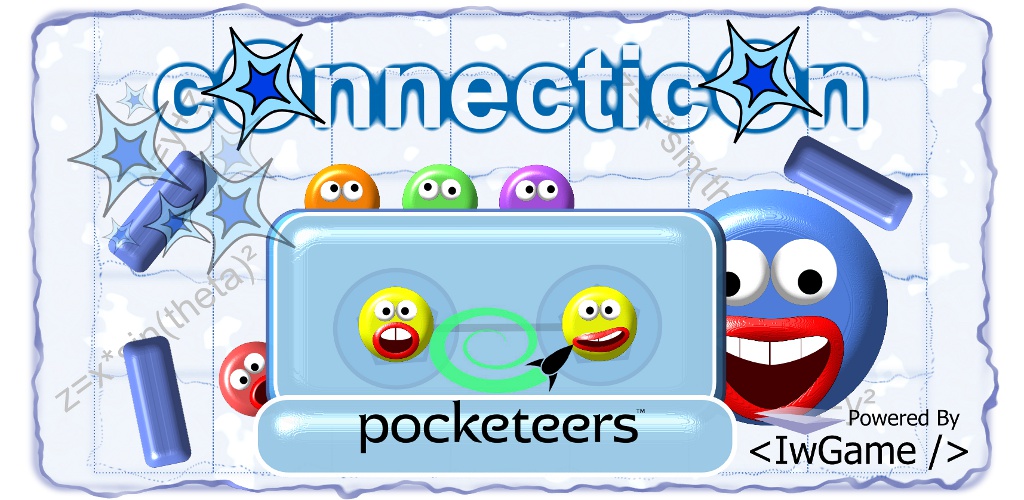
Hey everyone, some good news. We finally got the first version of the first IwGame Engine game cOnnecticOns up on the Android Market at https://market.android.com/details?id=com.pocketeers.connecticons. Playbook, Bada and iOS builds will be available within the next few weeks.
And the even better news is that we are on schedule for releasing the full source this weekend! We’ve had a bit of a delay because we decided to upgrade the game a bit. We added an extra zone with 10 additional levels, as well as a game editor to allow players to create and play up to 20 of their own levels. Oh, and players can also post their scores to Facebook using the new CIwGameFacebook class (coming in the next IwGame engine update 0.31 this weekend)
The next update of the game will feature sharing levels between users using a web service, for which we will release the full source code, including the server side scripts.
The update after that will feature in-app purchase content using new classes that e are developing for the IwGame engine.
If you download the game then please consider leaving a nice review