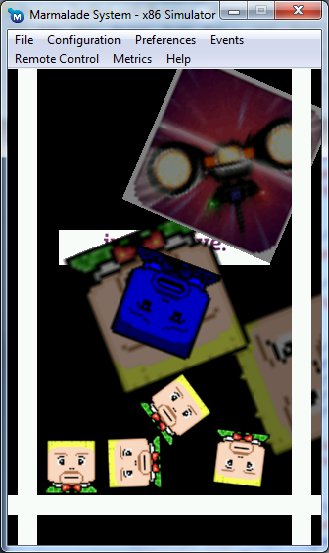
cOnnecticOns is now available on the Android Market!

Hey everyone, some good news. We finally got the first version of the first IwGame Engine game  cOnnecticOns up on the Android Market at https://market.android.com/details?id=com.pocketeers.connecticons. Playbook, Bada and iOS builds will be available within the next few weeks.

And the even better news is that we are on schedule for releasing the full source this weekend! We’ve had a bit of a delay because we decided to upgrade the game a bit. We added an extra zone with 10 additional levels, as well as a game editor to allow players to create and play up to 20 of their own levels. Oh, and players can also post their scores to Facebook using the new CIwGameFacebook class (coming in the next IwGame engine update 0.31 this weekend)

cOnnecticOns for Android, iPhone, Bada and Blackberry

The next update of the game will feature sharing levels between users using a web service, for which we will release the full source code, including the server side scripts.

The update after that will feature in-app purchase content using new classes that e are developing for the IwGame engine.

If you download the game then please consider leaving a nice review

IwGame Engine v0.3 Released – The 36 hour game

New here? What’s IwGame? IwGame is an open source free to use cross platform game engine for iPhone, iPad, Android, Bada, Playbook, Symbian, Windows Mobile, LG-TV, Windows and Mac, built on top of the Marmalade SDK. You can find out more and download the SDK from our IwGame Engine page.

Well, Dan said a few weeks ago that “it’s only until you eat your own dog food that you know you have to improve the taste of it”. I thought about this and decided that we really needed to create a game using the engine to show its various features in action. So with this, I began work on a game (currently unnamed), but decided that the game would take a few weeks to finish off, so moved over to producing a completely new game from scratch but with a simpler design. The end result was a game that was created in less than 36 man hours, including art production, coding, design and scripts (I was aiming for 24 hours but I came across a a few nasty bugs that took a fair bit of time to fix). In addition,. I underestimated how difficult it would be to put levels together without an actual editor. I will very likely build an actual editor into the cOnnectiCons game itself to allow players to create their own levels. So the game ended up with 20 levels, with an additional 20+ levels coming later.

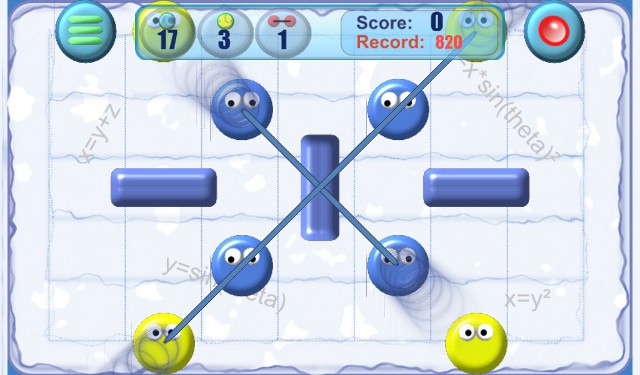
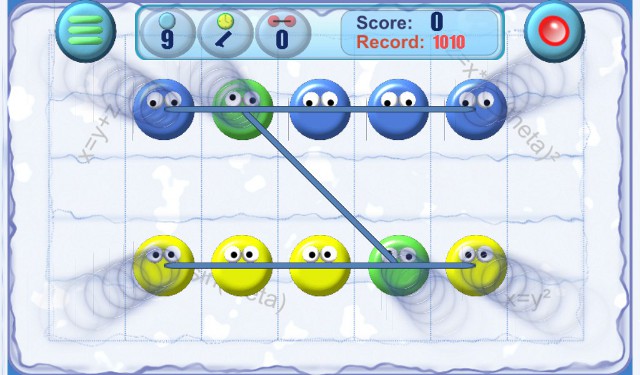
You can take a quick look at cOnnecticOns at http://www.youtube.com/watch?v=sVa8TWYQEsQ and here are a few screen shots of our 36 hour game cOnnecticOns:

Connecticons screen shot
Connecticons screen shotConnecticons screen shot
Connecticons screen shot

We have already started submitting the game to app stores, so when we release the source “Don’t go getting any ideas lol”. The source will be provided as a learning exercise, and not for someone else to make a quick buck off.

Ok, now that’s out the way, lets take a brief look at the changed that have arrived in IwGame v0.3:

  • Support added for particle based actors via CIwGameActorParticle and CIwGameActorParticles as well as XOML via ActorParticles and Particle tags. Particles can be defined individually or in batches using random parameters. Particles have position, linear velocity, angular velocity, scale velocity, colour velocity, depth velocity, velocity damping, lifespan and repeat
  • Support for Marmalade fonts has been added via CIwGameFont wrapper and a new XOML Font tag
  • All rendering now uses IwGx instead of Iw2D. This offers more control over rendering as well as makes the code more portable / versatile in the future
  • All internal rendering upgraded to sub pixel coordinates offering MUCH smoother rendernig
  • New 2D rendering class added CIwGameRender2d. This cklass allows batch rendering of primitives and rendering of text CIwGxFontPreparedData prepared text
  • New very powerful template system added to XOML. The template system allows you to create a complex piece of XOML using paramaters that can be passed in when the template is instantiated. Templates can also be instantiated from code using CIwGameTemplate::Instantiate()
  • CIwGame::addScene() can now auto bring a scene to the front of scene stack
  • New global actions added to XOML – Launch, setBGColour, SetCurrentScene and BringtSceneToFront
  • Actors and sprites now have a depth property allowing you to add 3D depth to them
  • Actors and sprites now have an origin attribute
  • Support added for sprites and actors for none uniform scaling
  • Support added for linked actors. A linked actor will utilise the transform, colour and visibility of the actor it is linked to. In XOML, you can use the new LinkedTo tag to set linkage or the more natural and readable method of defining actors within actor tags. This system allows complex multi-patr actors to be created and animated
  • Actors now support OnCreate and OnDestroy events in code and in XOML
  • Scenes now support OnCreate, OnDestroy OnGainedFocus and OnLostFocus events in code and in XOML
  • New text based actor and sprite types added CIwGameActorText and CIwGameTextSprite.
  • Animation system now supports linear, quadratic, cubic and quartic on / out easing in code and in XOML. In addition value interpolation can be enabled / disabled
  • Animations now support absolute and delta values
  • Animation timelines now support OnStart, OnEnd and OnRepeat events in code and in XOML
  • CIwGameAudio::PlayMusic now supports repetition with additional parameter in XOML
  • New CIwGameSlotArray class added for efficient resizable arrays
  • Actor Box2D collision system was broken and inefficient. The system has been completely reworked and now uses the new more efficient CIwGameSlotArray
  • CIwGameBox2dBody now has new awake and active methods
  • CIwGameCamera now supports velocity, damping and touch panning. Touch panning will pan the camera to follow the users finger
  • More than one scene can now receive input events using the new AllowFocus functionality in code and in XOML
  • New findClosestActor and findFurthestActor methods added to CIwGameScene
  • CIwGameBitmapSprite now supports colour per vertex
  • CIwGameSpriteManager supports enabling / disabling of batching and a new centre of projection property for depth used by depth sprites
  • CIwGameInput reworked to better support multi-touch
  • PlayTimeline, StopTimeline and SetTimeline now supports a second parameter which points to the scene or actor that the timeline change should be made to
  • Actors can now be marked for hit testing in XOML
  • Image files can now be loaded directly from XOML without the need for Marmalade resources files
  • CIwGameScene and CIwGameActor based objects are now marked as destroyed when they are removed so they cannot be found in a scene or actor search
  • CIwGameXmlNode now supports cloning
  • Bug Fix: Actors now take into account their visibility when being hit tested
  • Bug Fix: CIwGameActor::setCollidable no works
  • Bug Fix: StartTimeline action now restarts a stopped timline properly
  • Bug Fix: Clipping rect is now transform by the scenes transform (will not clip correctly against rotated scenes however)
  • Bug Fix: XML parser fixes
  • Bug Fix: CIwGame game scene switch scene bug fixes
  • Bug Fix: CIwGameAds::ErrorFromResponse fix that were causing some valid ads to be in error
  • Bug Fix: CIwGameAnim fixes
  • Bug Fix: Polygon based Box2D bodies now fixed
  • Bug Fix: Sprite rendering transform fixed
  • Bug Fix: CIwGameBitmapSprite with no loaded image no longer crash
  • Bug Fix: CiwGameString crashes fixed (were causing rare problems with XML system)
  • Bug Fix: Fixed issue with CIwGameXmlAttribute::GetValueAsColour not checking for correct parameter count
  • Bug Fix: On device scene shut down camera deletion fixed

Ok, that’s a shed load of changes, but I can assure you that they are all for the better. IwGame is now a professional grade and fairly stable engine that can be used to create games in as little as 36 hours!

Lets take a look at some of the new additions in more detail.

Templates

I want to start with my utmost favourite change to 0.3 which is templates. I am so in love with templates that I feel like I could almost marry one! They saved me so much time when developing cOnnecticOns. Templates allow you to create large sections of XOML as templates then instantiate those large
pieces of XOML somewhere else using custom parameters that you pass to the template when you instantiate it. Lets take a quick look at a super simple example:

<Template Name="ActorTemplate">
        <InertActor Name="Explosion$name$" Image="$image" Position="$pos$" Scale="$scale$" Depth="$depth$" Layer="1" AngularVelocity="0" />
</Template>

Here we define a template called ActorTemplate that contains a basic InertActor definition. You may notice some strange markers in there surrounded by double dollars signs ($name$, $image$,$pos$, $scale$ and $depth$).

Now when we instantiate this template somewhere we would use:

<FromTemplate Template=”ActorTemplate” name=”actor1″ scale=”1.0″ pos=”300, 150″ depth=”1.0″ image=”sprites1″ />

The above XOML command will instantiate whatever is in the ActorTemplate template passing all of its parameters, replacing the double dollar definitions inside the template (Hmm, sounds very much like calling a function? Which I guess in some ways it is)

Templates can be as massive and as complicated as you like, allowing you to design and instantiate some very complex objects with very few lines of XOML.

Rendering Engine Upgrade

Up until version 0.29 of the IwGame Engine we used Marmalade’s Iw2D engine as the rendering core. As of v0.30 we have switched to Marmalade’s IwGx rendering system as it offers much more versatility as well as brings the engine into the realms of 3D rendering, which is where we will eventually be steering the engine.

To facilitate this change over and to keep the game engine code nice and readable, all rendering has been abstracted away into a nice simple class called CIwGameRender2d. CiwGameRender2d is and will in future be the centre point for all rendering that takes place within IwGame.

At the moment CiwGameRender2d offers:

  • Batch and none batch sprite rendering of quad based polygons
  • Rendering of prepared text from the Marmalade IwGxFont system

In the near future we will be adding support for various other types of primitives, 3d models and hopefully our own custom shaders etc..

Lastly, all rendering now uses sub-pixel accuracy which looks much much smoother.

Text and Fonts

IwGame now supports definition of Marmalade fonts and custom rendering of those fonts using a new text based sprite and actor. Text based sprites and actors are treat just like any other sprite or actor objects, so they can be spun, scaled, linked, colour changed etc.. Unlike generic actors text based actors can be instantiated without deriving your own class from CIwGameActorText

3D Sprites / Actors

Another one of my favourite additions to 0.3 is 3D sprites. All sprites and actors can now have a depth value (think iof this as a z value) that allows you to project sprites into 3D.  This system is great for create parallaxing effects etc..

Oh and sprites / actors also get an adjustable origin and none uniform scaling

Linked Actors

Actors can be created within other actors to form a parent / child relationship. Inner actors will be linked back to their containing actor forcing them to be transformed by their parent actors. This system allows you to create a very powerful intuitive multi-part actor system complete with animations per actor part. Note that all positions, depths etc will be relative to the container actor, so for example, if the parent actor has a Depth value of 1.0f and the child actor has a Depth value of 1.0f then the child’s effective Depth will be 2.0f. Here’s an example showing parent / child actors:

<InertActor Name="Level1" Style="LevelButtonStyle" Position="0, 0" OnBeginTouch="BeginTouch11" OnTapped="StartLevel1">
    <ActorText Name="Record1" Style="LevelButtonTextStyle" Colour="255, 80, 80, 255" Position="0, 0" Text="0" Depth="0" />
    <ActorText Style="LevelButtonTextStyle" Position="0, 60" Text="Round 1" Depth="0" />
    <InertActor Name="LevelComplete1" Size="74, 67" Image="sprites2" SrcRect="582, 423, 148,134" Position="60, -20" HitTest="false" Depth="0" Timeline="tick_scale_anim" />
</InertActor>

In the above XOML the parent actor level1 contains three children actors that will all follow theLevel1 actors visual transform.

Particle System Actors

This actor is special in that it is optimised for creating, displaying and updating a complete system of sprites (kind of like its own sprite manager). The advantage of this actor is that it does not have to deal with each particle as a separate actor object. The CIwGameActorParticles actor supports both manual and auto generation of particles. Auto generation can be controlled using a number of a control parameters.

Particles have a number of properties that can be adjusted:

  • Visual
  • Position
  • Velocity
  • Velocity Damping
  • Gravity
  • Scale
  • Scale Velocity
  • Scale Velocity Damping
  • Angle
  • Angle Velocity
  • Angle Velocity Damping
  • Colour
  • Colour Velocity
  • Colour Velocity Damping
  • Depth
  • Depth Velocity
  • Depth Velocity Damping
  • Active state
  • Visible state
  • Lifespan – Duration of particle in seconds
  • SpawnDelay – The amount of time to wait before spawning for the first time
  • Lives – Number of times the particle will re-spawn (-1 for infinite)

The particle actor system allows auto generation of particles within certain limits as well as manual generation. Patricles can be defined and placed both in code and in XOML.

Animation Frame Easing

Animations now support in and out easing on a per frame basis using the “Ease” attribute of the frame tag or in code. Valid values of easing include:

  • linear – No easing
  • quadin / quadout – Quardatic in / out easing
  • cubicin / cubicout – Cubic in / out easing
  • quarticin / quarticout – Quartic in / out easing

Time lines now in the Events System

Its now possible to attach actions to timeline events such as OnStatr, OnEnd and OnRepeat. So for example, each time an animation repeats you could play a sound effect or maybe when an animation finishes yu kill destroy the actor or start a particle system off going etc..

Animations now support delta / absolute coordinates

Every animation can now be specified as absolute or delta. An absolute animation will write its interpolated frame values directly into the target objects properties (such as position), whilst a delta animation will update the current target properties. So for example, a delta animation for position would adjust the position by dx, dy, where dx and dy is the current interpolated frame value.

Automatic Touch Panning for Cameras

Cameras now have X and Y axis touch panning. When a camera is touch pan enabled it will track the users finger drag on screen to determine a velocity to move the camera by. Touch panning can be enabled on the X an Y axis independently.

Other cool changes

Multi-focus scenes – More than one scene can now receive input events
Local images can now be loaded from XOML

There are many other changes but I don’t really have the time to go through them all. There’s also a mound of bug fixes that weer found during development of cOnnecticOns.

We will be releasing the full source to cOnnecticOns later this week along with an additional 10-20 levels.

Quick IwGame Update

We’ve been a little quiet of late so I thought that I would put a quick blog post together to let you all know that the Pocketeers wheels are still turning. We were aiming to have the IwGame Engine update and a complete game using the engine ready for last week, but unfortunately a few Pocketeers related tasks as well as losing time to being ill with the flu has knocked the schedule out a little.

I’m working on a quick cute game that uses 100% IwGame code and XOML. I’m also doing this as a one man band exercise to show how quickly, easily a game can be put together using the engine (as well as the fact that we have no additional spare resources at the moment); I’ve even done much of the art work myself lol.

The next release of the IwGame engine will be next week sometime, even if the sample game is not 100% complete (I will continue to finish off the game in my spare time so that it can be used as a complete reference). The next release has a mass of additional features along with a number of bug fixes.

We believe that v0.3 will be the stable version of IwGame that we have been waiting for (I would even go as far as calling it a release candidate)

Just want to say a quick thanks to Da Voodoochief over at Sorcery Games for his recent blog on IwGameAds integration and wish him much luck with CTR and fill rates.

Marmalade SDK v6.0

I was pleased as punch this afternoon after I visited Marmalade’s web site. Why you may ask? Well, the simple answer is that they have updated their road map giving us a sneak preview of what’s to come this year. The main thing that I am happy about is the fact that the first release due in Q1 is entitled “Web Marmalade”. I’m going to go out on a limb here and assume that this is targeting the web as deployment platform, which is even more awesome than the $25 credit card sized Raspberry Pi! (Think that we are going to have to name this one Awesomade!).

Anyways, hers a short extract from Marmalade’s release page:

“Hybrid Applications, Enhanced Native UI and support for new platforms.”

Yummy, eh? Well what could these features mean?

  • Hybrid Applications – Could we be talking hybrid web / native applications? Does this mean some kind of integration with Google’s Native Client (NaCl) – Like the way Google used the chemical name for salt, makes it nice and memorable. or maybe Marmalade can target HTML 5 some how?
  • Enhanced native UI – I think that we can safely assume this will include support for many more native controls?
  • New Platforms – Ok, it’s obvious what this means, but which platforms? Would be fantastic to see support for Raspberry Pi and Windows Phone 7, although I think WP7 is a closed system so maybe not. What other platforms could we see Marmalade support?

Feel free to leave your own speculations as a comment.

IwGame Engine v0.29 Released – XOML is evolving

New here? What’s IwGame? IwGame is an open source free to use cross platform game engine for iPhone, iPad, Android, Bada, Playbook, Symbian, Windows Mobile, LG-TV, Windows and Mac, built on top of the Marmalade SDK. You can find out more and download the SDK from our IwGame Engine page.

The Universe conspired against me this week, first of all landing me with a nice flu, followed directly by some horrible sickness bug that featured projectile vomiting of the likes only seen in movies such as the Exorcist! Thankfully the Universe decided to give me a break this week so an IwGame Engine update got finished.

Most of the changes this week are XOML related as this is the general direction we want to take the game engine. A good mix of XOML mark-up and solid coding should make games and media apps very quick and easy to develop.

Oh and we got a new logo for the IwGame Engine woohoo! Feel free to use the logo in any of your IwGame powered products, or if you want to link to us.

Ok, onto the list of iwGame Engine changes for v0.29:

  • New style system added to XOML. Actors and scenes can now use a style to reduce repetition
  • Actors and scenes now handle events such as OnSuspend, OnTapped, OnBeginTouch etc.. When an event fires it executes a collection of actions
  • Actions added to XOML to allow definition of collections of actions that can be executed. Many default actions are suppported such as ChangeScene, KillScene, PlayTimeline, PlaySound etc.. Custom actions can also be added toextend the system
  • CIwGame now handles touch begin touch, end touch and tapped events
  • CIwGame now has new Postdraw() method for adding in custom post draw rendering
  • Actors can now be made tappable and now handle OnTapped(), OnBeginTouch() and OnEndTouchEvents()
  • Actors have new HitTest() method that can be used to check if a point is inside the actors visual
  • XOML now supports creation of cameras
  • XOML now supports creation of variables and update of variables using actions, supports string, bool, int, float, vec2, vec3 and vec4
  • XOML files can now load other XOML files with new LoadXOML tag as well as LoadXOML action
  • Scenes now support a type field
  • CIwGameBitmapSprite now supports image transforms (flips. mirrors etc) which can be also applied to actors visuals using FlipX and FlipY attributes
  • You now change the current time of a CIwGameAnimInstance and CIwGameAnimTimeline
  • Bug Fix – Actor visibile state now works properly
  • Bug Fix – CIwGameShape::setShape() now works
  • Bug Fix – Transform is now reset after CIwGameAdsView finishes rendering
  • Bug Fix – JPEG file detection fixed, was not detecting certain types of JPEG files
  • Bug Fix – CIwGameString::FindNext() crash fixed

Quite a few changes and bug fixes. Note that someo f the bug fixes directly affected IwGameAds so an update to that API will be released shortly.

Lets take a look at the changes in more detail.

XOML Variables

XOML got variables, but why? Well, there are a number of reasons:

  • We want to be able to define values that can be read by the main code
  • We want to change these values via actions
  • When we implement the UI system we are looking to add data binding capabilities that will rely on values

You can declare a variable in XOML like this:

    <Variable Name="PlayerName" Type="string" Value="Player One" />
    <Variable Name="PlayerScore" Type="int" Value="0" />
    <Variable Name="PlayColour" Type="vec4" Value="255, 128, 64, 8" />

You can later modify the value of that variable using a SetVar action, more on this later.

Each scene contains its own variables collection and the global resource system also contains a global variables collection.

XOML Styles

XOML now supports the styling of actors and scenes using the new Style tag. XOML styles enable you to create a set of properties and values that are common across a range of objects then apply tat style the to them all. Hers a quick

example:

<Style Name="BasicActorStyle">
    <Set Property="Size" Value="60, 60" />
    <Set Property="Angle" Value="0" />
    <Set Property="SrcRect" Value="0, 0, 36, 40" />
    <Set Property="Image" Value="Sprites" />
    <Set Property="Timeline" Value="Player1Intro1" />
    <Set Property="Shape" Value="PlayerShape" />
    <Set Property="Box2dMaterial" Value="BounceyBall" />
    <Set Property="CollisionFlags" Value="1, 1, 1" />
</Style>

<TestActor Name=”Player2″ Style=”BasicActorStyle” Position=”0, -150″ />

The TestActor Player2 will be assigned all of the values in the properties defined in the style saving you a whole bunch of typing as well as making your mark-up much more readable and easier to maintain.

XOML Events And Actions

Actors and scenes now support various events that can fire off user defined actions. The following events are currently defined:

Scenes:

  • OnSuspend – Called when a scene is suspended
  • OnResume – Called when a scene is resumed

Actors:

  • OnTapped – Called when the user taps an actor
  • OnBeginTouch – Called when the user begins to touch an actor
  • OnEndTouch – Called when the user stops touching an actor

More will be added as we think of them or when requested. You can also add your own custom events youself. Check out the CIwGameActor class for a reference on how to do this.

Events wouldn’t really be much use unless we could carry out some kind of action when the event occurred. Actions are defined in XOML using the Actions tag, heres an example:

<Scene Name="GameScene3" Style="GenericSceneStyle" OnSuspend="SuspendActions">
    <Actions Name="SuspendActions">
        <Action Method="SetTimeline" Param1="SceneTransition1" />
        <Action Method="PlaySound" Param1="explosion" />
    </Actions>
</Scene>

You actually create a group of actions that are all executed when the action is called by an event.

The following actions are currently supported:

  • ChangeScene – Changes the currently focused scene to the specified scene
  • SuspendScene – Suspends the specified sceme
  • ResumeScene– Resumes the specified sceme
  • HideScene– Hides the specified sceme
  • ShowScene– Shows the specified sceme
  • ActivateScene – Activates the specified sceme
  • DeactivateScene – Deactivates the specified sceme
  • KillScene – Destroys and removes the specified sceme from the game, all contained resources amd actors will be also be destroyed
  • HideActor – Hides the specified actor
  • ShowActor – Shows the specified actor
  • ActivateActor – Activates the specified actor
  • DeactivateActor – Deactivates the specified actor
  • KillActor – Kills and removes the specified actor
  • PlayTimeline – Plays the specified timeline. If no timeline is supplied then the current actor / scenes timeline will be restarted (depends on where the action was defined)
  • StopTimeline – Stops the specified timeline. If no timeline is supplied then the current timeline will be stopped. (depends on where the action was defined)
  • SetTimeline – Changes to the specified timeline. If no timeline is supplied then the current timeline will changed and restarted. (depends on where the action was defined)
  • PlaySound – Starts playing a sound effect
  • PlayMusic – Starts the playing specified music file
  • StopMusic – Stops the music player playing
  • LoadXOML – Loads a XOML file into scene or globally. If a scene is provided then the XOML will be loaded into that scene
  • SetVar – Sets the value of a variable

Again, more will be added as we think of them or when requested. You can also add your own custom actions youself. Check out the CIwGameXomlAction_Actors class for a reference on how to do this.

Coupled together the events and actions system provide a very powerful way of creating fully interactive content without having to write a single line of code.

Loading Other XOML Files

It is now possible to load other XOML files from a XOML file using the new LoadXOML tag. Heres an example:

<LoadXOML File="Common.xml" />
<LoadXOML File="Sceme2.xml" />
<LoadXOML File="Scene3.xml" />

You can also (as shown in the actions section) load a XOML file from an action.

Using this system you can create fully interactive navigation based content. Think adventure games, books, magazines and informational apps etc..

Scene Cameras

Cameras can now be defined in XOML and attached to scenes. You can also switch a scenes camera using the animation system.

Image Transforms for Sprites and Actors

Sprites and actors can now use an image transform allowing you to flip the source image used to render the object. The ne FlipX and FlipY attributes are now available in XOML.

Well thats it for this update. IwGame now has some very cool features that should hopefully make game / app development much easier and quicker for everyone.

We are going to assess the possibility of wrapping up Marmalades cool UI system with XOML very soon, will keep you all posted on how that goes. I am also looking at producing a new article on in-app purchasing with the Marmalade SDK, which will form the basis of in-app purchasing for the IwGame engine.

IwGameAds and Raw OpenGL Issues

Its been brought to our attention that if you are using raw Open GL functions and IwGameAds together then one system can affect the other.

The problem is that Iw2D is quite naughty in that it does not really save / restore GL states so many of the open GL states could have changed. A few things we noticed in particular are the GL shading model and texture matrix.

To switch back to smooth shading use:

     glShadeModel(GL_SMOOTH);

To repair the texture matrix add the following before you render your GL content:

    glMatrixMode(GL_TEXTURE);
    glPushMatrix();
    glLoadIdentity();

After your GL rendering is finished restore the GL texture matrix:

    glMatrixMode(GL_TEXTURE);
    glPopMatrix();

We will provide an additional GL test bed in our next update

IwGameAds SDK – Free Open Source Cross Platform Ad Engine for Mobile Games and Apps

We’ve received a fair few requests to extract the ad engine from the IwGame engine so that it can be easily used in existing products or products that do not want the fully fledged game engine. So we decided to go ahead and create a new API that supports just the ad engine. Its new home is at http://www.drmop.com/index.php/iwgameads-sdk/ and its now called the IwGameAds SDK. The SDK currently has support for 12 ad providers including:

  • Inner-active
  • AdFonic
  • Vserv – Also provides support for InMobi, BuzzCity, JumpTap, ZestAdz / Komli Mobile and Inner-active
  • Mojiva
  • Millennial Media – Also provides support for AdMob, Amobee, JumpTap and Mojiva
  • AdModa

Features include:

  • Native and cross platform
  • Free and open source
  • Fully documented
  • Support for multiple platforms (iPhone, iPad, iPod, Android, Bada, Playbook, Symbian, WebOS, Windows Mobile, Mobile Linux, LG-TV, Windows and Mac OS)
  • Asynchronously request text, image and html based ads from a variety of ad providers
  • Automatic extraction of ad data, such as image url, click url and text
  • Provision for targeted ads by age, gender, location etc..
  • Integrated ads view that can display animating ads to the user as well as detect clicks and launch the external URL / app that deals with the click destination
  • Cache and display multiple ads from multiple providers
  • Eye catching animating ads system that is currently generating 3%-8% CTR
  • Ad mediation using the priority based IwGameAdsMediator class
  • Very simple to install, set-up and use

We have not removed the ad API from the IwGame engine, this is just an additional SDK for those that want to use the ad API away from the game engine.

IwGame Engine v0.281 Released – Box2D Fixes

We found a couple of mistakes in the Box2D integration in  IwGame 0.28, so here is the fixed version, changes include:

  • Actor / scene Box2D implementation switched from multi-inheritence to composition
  • Bug Fix – Fixed issue with incorrect actor orientation when placed under Box2D control
  • bug Fix – Values for velocity, angular velocity etc were not being applied in XOML

You shouldn’t need to change any of your game code with this update.

IwGame Engine v0.28 Released – Box2D Physics Integration has Arrived

New here? What’s IwGame? IwGame is an open source free to use cross platform game engine for iPhone, iPad, Android, Bada, Playbook, Symbian, Windows Mobile, LG-TV, Windows and Mac, built on top of the Marmalade SDK. You can find out more and download the SDK from our IwGame Engine page.

IwGame Game Engine Update

The magical elves of Pocketeers Land have been incredibly busy hammering out the latest update to the IwGame game engine and here it is. We’ve had a lot of requests for Box2D integration so we shunted it in there and managed to integrate it into the XOML mark-up language as well.

Here’s the list of changes for IwGame 0.28:

  • Image, resource group and timeline managers have been collapsed into a single resource manager. All calls to scene and global resource managers should go through getResourceManager()
  • All resource types can now be marked as managed
  • New Box2D IwGame classes added
  • Box2D integrated into the scene, actor system as well as XOML. Box2D can be disabled by undefining IW_GAME_BOX2D in IwGameBox2d.h
  • New shape system added IwGameShapes that allows you to define box, circle and polygon shapes, also available in XOML
  • XOML tag names and attrbutes are now case insensitive
  • Scenes XOML now supports Gravity and WorldScale
  • Actor XOML now supports new tags Box2dMaterial, Shape, COM (centre of mass), Sensor and CollisionFlags
  • Timelines can now be shared across different actors and scenes without them playing back too fast and not updating properly
  • CIwGameActor now has a new mthod removeVisual() which removes the actors visual from the scenes visual sprite manager
  • ToLower() and ToLower() methods added to CiwGameXml. These methods will convert all tag name and attribute names to lower or upper case (values are left untouched)

Yes, we did go ahead and remove all of the different types of managers and rolled them into a single resource manager. We also got rid of case sensitivity for tag and attribute names, which should save many of you the pain of tracking down case issues when writing XOML. I for one welcome the change 🙂

I was playing with time lines yesterday and discovered that if I attached the same one to more than one object, it got updated multiple times during a single frame, which causes the animationto play back too fast. A fix has now been added for that, so time lines can now be re-used across multiple actors and scene.

Now on to the meatier changes

Box2D Integration in Detail

Ok, so Box2D integration requests approached critical mass so we went ahead and integrated Box2D into the engine and the XOML system. The tst bed now shows anew scene (GameScene3) which has a solid floor, 2 walls and a bunch of actors that are dropped into the scenes. As you can see from the tst bed the physics is working pretty well. Lets take a quick look at the Game3Scene in XOML:

<Scene Name="GameScene3" CanvasSize="320, 480" FixAspect="true" LockWidth="false" Colour="255, 255, 255, 255" AllowSuspend="false"> <Box2DMaterial Name="Solid" Type="static" Density="1.0" Friction="1.0" Restitution="0.1" /> <Box2DMaterial Name="BounceyBall" Type="dynamic" Density="1.0" Friction="0.9" Restitution="0.6" /> <Shape Name="PlayerShape" Type="box" width="60" height="60" /> <Shape Name="Wall" Type="box" width="20" height="320" /> <Shape Name="Floor" Type="box" width="320" height="20" /> <Timeline Name="Player1Intro1" AutoPlay="true"> <Animation Anim="PlayerImageAnim" Target="SrcRect" Repeat="0" StartAtTime="1"/> </Timeline> <TestActor Name="Floor" Position="0, 200" Size="320, 20" Angle="0" SrcRect="0, 0, 32, 32" Image="Block" Shape="Floor" Box2dMaterial="Solid" CollisionFlags="1, 1, 1" /> <TestActor Name="LeftWall" Position="-140, 0" Size="20, 480" Angle="0" SrcRect="0, 0, 32, 32" Image="Block" Shape="Wall" Box2dMaterial="Solid" CollisionFlags="1, 1, 1" /> <TestActor Name="RightWall" Position="140, 0" Size="20, 480" Angle="0" SrcRect="0, 0, 32, 32" Image="Block" Shape="Wall" Box2dMaterial="Solid" CollisionFlags="1, 1, 1" /> <TestActor Name="Player1" Position="-50, -200" Size="60, 60" Angle="0" SrcRect="0, 0, 36, 40" Image="Sprites" Timeline="Player1Intro1" Shape="PlayerShape" Box2dMaterial="BounceyBall" CollisionFlags="1, 1, 1" /> <TestActor Name="Player2" Position="0, -150" Size="60, 60" Angle="0" SrcRect="0, 0, 36, 40" Image="Sprites" Timeline="Player1Intro1" Shape="PlayerShape" Box2dMaterial="BounceyBall" CollisionFlags="1, 1, 1" /> <TestActor Name="Player3" Position="50, -200" Size="60, 60" Angle="0" SrcRect="0, 0, 36, 40" Image="Sprites" Timeline="Player1Intro1" Shape="PlayerShape" Box2dMaterial="BounceyBall" CollisionFlags="1, 1, 1" /> <TestActor Name="Player4" Position="0, -1000" Size="60, 60" Angle="0" SrcRect="0, 0, 36, 40" Image="Sprites" Timeline="Player1Intro1" Shape="PlayerShape" Box2dMaterial="BounceyBall" CollisionFlags="1, 1, 1" /> </Scene>

In the above XOML scene we declare two materials, one for our solid environment pieces (floor and walls) and then another for our bouncy players.

Next we define a shape for our player, a shape for our floor and s shape for our walls.

Lastly, we create actors that represent our floor, left wall, right wall and 4 player actors, assigning the correct shapes and materials.

The above creates a scene with animating interactive physics objects

Box2D integration will be expanded in future updates to more features to IwGame and XOML.

If you want to learn more about the internals of the Box2D integration then take a look at the IwGameBox2D source files.

Shapes in XOML

You now create shapes in code or by using XOML mark-up. Take a look at the new shape classes in IwGameShapes.h. Below is an example showing a few shapes defined in XOML:

<Shape Name="PlayerShape" Type="box" width="60" height="60" /> <Shape Name="AlineShapel" Type="circle" radius="20" /> <Shape Name="Platform1" Type="polygon"> <Point Value="-100, -100" /> <Point Value="-100, -200" /> <Point Value="100, -100" /> <Point Value="100, 100" /> <Point Value="-100, 100" /> </Shape>

Shapes can be used to define physical collision boundaries for the integrated physics system. Eventually IwGame’s new path system will utilise shapes (when its implemented)

New Resource System

The new resource system now handles all resources of any type, so all the old separate resource managers have gone. To ensure that developers do not have to be too careful with naming resources, different resources can share the same name. However, this does mean that when you ask for a resource you do need to specify its type. Here’s a few examples:

CIwGameImage* image = (CIwGameImage*)IW_GAME_GLOBAL_RESOURCES->getResourceManager()->findResource(“Sprites”, “Image”);
CIwGameAnim* animation = (CIwGameAnim*)IW_GAME_GLOBAL_RESOURCES->getResourceManager()->findResource(“PlayerImageAnim”, “Animation”);

Note that the 2nd parameter specifies the type of resource, in this case it is an Image and an Animation.

Valid type names are as follows:

  • Game – Game objects
  • Scene – Scene objects
  • Image – Image objects
  • Timeline – Animation timeline objects
  • ResourceGroup – Resource group objects
  • Animation – Animation objects
  • Shape – Shape objects
  • Box2dMaterial – Box2D material objects

This does not include any of your own custom types that you add to the system yourself.

Well, that’s it for this update. We are very likely moving onto creating the editor to accompany the engine as our next task so IwGame engine updates may come a little slower.

IwGame Engine v0.27 Released – Powerful Animation and XOML Support

New here? What’s IwGame? IwGame is an open source free to use cross platform game engine for iPhone, iPad, Android, Bada, Playbook, Symbian, Windows Mobile, LG-TV, Windows and Mac, built on top of the Marmalade SDK. You can find out more and download the SDK from our IwGame Engine page.

After much bashing with hammers and sawing with saws IwGame version 0.27 is now available for download, including updated documentation. Some of you may get a little upset as we have completely replaced the old animation system with a brand new more powerful system. Sorry for that, but thought better to change it sooner rather than later.

Lets take a quick look at the changed for v0.27:

  • Added new customisable mark-up language XOML that allows you to declare most IwGame obects declaratively, including scenes, custom actors, images, resource groups, animations, animation timelines
  • CIwGameAnimManager has been removed and replaced with the much more powerful CIwGameAnimTimeline, paving the way for very powerful actor and scene animations
  • Animation system has been completely changed to use a proper key frame interpolation system
  • Support for animation targets to automate update of object properties
  • CIwGameActorImage initialisation no longer requires a scene or an animtion. CIwGameActorImage initial image source rectangle now matches the initial size of the actor
  • setCollisionSize() added to CIwGameActor to allow setting of collision size from a radius
  • CIwGameDataInput and CIwGameDataOutput stream classes added
  • Simple, fast pooled memory XML parser added (CIwGameXml)
  • CIwGameResourceGroup system added to encapsulate Marmalade resource groups
  • Global and scene local resoure systems added
  • CIwGameImage can now be instantiated 3 ways, from memory buffer, from file or from web file
  • CiwGameImage initialisation from memory buffer no longer requires specification of the is_jpeg flag
  • Blocking parameter can now be passed to CIwGameImage::Load()
  • CIwGameScene scenes can now be assigned a colour. All contained actors will be scaled by the colour, allowing flash and fade effects
  • CIwGameBitmapSprite::setSrcRect() now takes a CIwRect
  • FRAME_SPEED_LOCK_MS now added to set frame rate cap
  • CIwGame::Init() changed to CIwGame::Init(bool enable_http), passing true will boot up the HTTP manager and allow you to use it in-game
  • Bug Fix – CIwGameHttp crashed if a request came back after the object was shut down
  • Bug fix – CIwGameActor::setCollisionRect() bug fixed
  • Bug fix – All actors were being treated as though they were collidable
  • Bug fix – Sprites no lnoger try to render themselves if their associated image is not yet loaded

Yes, I know that’s a lot of changes! Lets take a look at some of these new changes in more depth

What’s this new XOML Mark-up Language stuff all about?

Ok, time for the old copy and past. After working two days flat on updating documentation I feel less obliged to write fresh content 🙂

I like to make code that is extensible but I also like to make life easier for myself without sacrificing too much versatility, so my coding style constantly strives towards balancing ease of use and extensibility. I’ve done a lot of Silverlight / WPF coding in the past which is where I came across Microsoft’s XAML mark-up language. I later came across Adobe Flex’s MXML mark-up language and decided that mark-up language was the way to go with game and app development. Being able to define my whole UI, game scenes, animations and even game logic using simple readable XML seemed like the best way to go.

IwGame adds some of the great functionality found in XAML / MXML allowing you to declare much of what will appear in your game using XOML (XML Object Modelling Language).

The major advantages of using XOL include:

  • Saves a whole bunch of typing
  • Design and layout scenes and actors using mark-up
  • Design resource groups and images using mark-up
  • Design complex animations and time line animations
  • No recompiling required to test changes
  • Add new content without resubmitting to the app stores
  • Add content that is streamed from a server

As you can see, we have some pretty neat advantages to switching over to using a mark-up language

Lets take a quick look at an example XOML file:

<?xml version="1.0"?> <xml> <ResourceGroup Name="Audio" GroupFile="Audio.group" Preload="true" /> <ResourceGroup Name="Level1" GroupFile="Level1.group" Preload="true" /> <Image Name="Sprites" Location="Level1" Preload="true" /> <Image Name="Buddy" Location="http://www.battleballz.com/bb_icon.gif" Preload="true" Blocking="false" /> <Animation Name="PlayerImageAnim" Type="rect" Duration="0.8" > <Frame Value="0, 0, 36, 40" Time="0.0" /> <Frame Value="0, 40, 36, 40" Time="0.1" /> <Frame Value="0, 80, 36, 40" Time="0.2" /> <Frame Value="0, 120, 36, 40" Time="0.3" /> <Frame Value="0, 160, 36, 40" Time="0.4" /> <Frame Value="0, 200, 36, 40" Time="0.5" /> <Frame Value="0, 240, 36, 40" Time="0.6" /> <Frame Value="0, 280, 36, 40" Time="0.7" /> </Animation> <Animation Name="SpinAnim1" Type="float" Duration="8" > <Frame Value="0" Time="0.0" /> <Frame Value="90" Time="2.0" /> <Frame Value="180" Time="4.0" /> <Frame Value="270" Time="6.0" /> <Frame Value="360" Time="8.0" /> </Animation> <Animation Name="ScaleAnim1" Type="float" Duration="4" > <Frame Value="0.1" Time="0.0" /> <Frame Value="1.0" Time="1.0" /> <Frame Value="1.5" Time="2.0" /> <Frame Value="1.6" Time="3.0" /> <Frame Value="1.65" Time="4.0" /> </Animation> <Animation Name="ColourAnim1" Type="vec4" Duration="4" > <Frame Value="255, 255, 255, 0" Time="0.0" /> <Frame Value="255, 255, 255, 200" Time="1.0" /> <Frame Value="255, 255, 255, 255" Time="2.0" /> <Frame Value="255, 255, 255, 200" Time="3.0" /> <Frame Value="255, 255, 255, 0" Time="4.0" /> </Animation> <Animation Name="PlayerStates" Type="string"> <Frame Value="State1" Time="0" /> <Frame Value="State2" Time="0.5" /> <Frame Value="State3" Time="1.0" /> <Frame Value="State4" Time="1.5" /> </Animation> <Timeline Name="Scene1Anim" AutoPlay="true"> <Animation Anim="SpinAnim1" Target="Angle" Repeat="1" StartAtTime="0"/> <Animation Anim="ScaleAnim1" Target="Scale" Repeat="1" StartAtTime="0"/> </Timeline> <Scene Name="GameScene" CanvasSize="320, 480" FixAspect="true" LockWidth="false" Current="true" Colour="128, 128, 128, 255" Timeline="Scene1Anim"> <Timeline Name="Player1Intro" AutoPlay="true"> <Animation Anim="PlayerImageAnim" Target="SrcRect" Repeat="0" StartAtTime="0"/> <Animation Anim="SpinAnim1" Target="Angle" Repeat="4" StartAtTime="10"/> <Animation Anim="ColourAnim1" Target="Colour" Repeat="10" StartAtTime="2"/> </Timeline> <TestActor Name="Player1" Position="-100, 0" Size="100, 100" Angle="45" SrcRect="0, 0, 36, 40" Image="Sprites" Timeline="Player1Intro" /> <TestActor Name="Player2" Position="0, 0" Size="100, 100" Angle="-45" SrcRect="0, 0, 36, 40" Image="Sprites" /> <TestActor Name="Player3" Position="0, 100" Size="100, 100" Angle="0" SrcRect="0, 0, 64, 64" Image="Buddy" /> </Scene> <Scene Name="GameScene2" CanvasSize="320, 480" FixAspect="true" LockWidth="false" Colour="0, 0, 255, 255" AllowSuspend="false"> <Timeline Name="Player1Intro2" AutoPlay="true"> <Animation Anim="PlayerImageAnim" Target="SrcRect" Repeat="0" StartAtTime="1"/> <Animation Anim="SpinAnim1" Target="Angle" Repeat="4" StartAtTime="10"/> </Timeline> <TestActor Name="Player1" Position="0, 0" Size="100, 100" Angle="45" SrcRect="0, 0, 36, 40" Image="Sprites" Timeline="Player1Intro2" /> <TestActor Name="Player2" Position="100, 0" Size="100, 100" Angle="-45" SrcRect="0, 0, 36, 40" Image="Sprites" /> <TestActor Name="Player3" Position="100, 100" Size="100, 100" Angle="0" SrcRect="0, 0, 64, 64" Image="Buddy" /> </Scene> </xml>

It may look like quite a bit of XML but the above would take many hundreds of lines of code to instantiate all of these classes and set up their data.

XOML is also extensible in that you can provide your own custom tags, allowing you to extend the syntax.

How to work with XOML files?

How is XOML meant to be used? Well that’s up to you, I’m pretty sure you already have hundreds of cool ideas bouncing around your mind right now. That said we do have some recommended usage and work flow ideas.

The idea is to define all of your different types of actors and / or scenes derived from IwGame base scenes and actors then add the creators to the XOML system. This allows you to declare them in XOML.

You should have very few if not a single global resource XOML file that contains all of your global resources. This gets loaded first when you boot the game.

You then create separate XOML files that contain either single scenes or scenes grouped by functionality.

Try to keep scene specific resources within scenes so they can be freed up when the scene is no longer needed, but try to balance resource group loading times with resource re-use.

The animation system provided by XOML is very powerful so try to use it wherever appropriate.

Start looking at your game as being driven by XOML rather than XOML being a simple data format.

How to load a XOML File

Loading a XOML file is incredibly simple:

// Load a test XOML file IW_GAME_XOML->Process(this, "Scene1.xml");

The first parameter to the Process() method represents the parent class that you want to load all of the XOML data into. For example, if you load a XOML file that contains scenes then you should pass the CIwGame derived game object so that the created scenes will be added to the main game object. On the other hand if the XOML file contains a simple list of global resources then you can pass NULL. This kind of versatility allows you to split your game definitions across multiple files.

Its worth noting at this point that you need to ensure that IwGame::Init() has been called before using the XOML system as IwGame::Init() sets up important systems that are used by the XOML system.

What’s the future of XOML?

XOML was initially designed to simplify the mundane and time consuming tasks involved in creating scene layouts and animations etc, but luckily it turned into something much more. Over time XOML will evolve into even more with future with plans for the following addictions:

  • Data binding
  • Declartion of user interfaces
  • Declartion of physics materials and scenes
  • Support for styling
  • More IwGame class support such as support for video, data files, camera streaming, audio time lines and more..

New Animation System

Now XOML (the biggest addition to IwGame) is out the way, lets look at the new animations system. The new animation system supports proper key frame interpolation where key frames can be spaced apart in time in a none linear fashion. The new animation system also has support for animation timeline’s and more types of animation data.

Timeline animations are collection of animations that are played simultaneously on some kind of animation target. An animation can be anything such as an actor or a scene. In fact, any class that is derived from the IIwGameAnimTarget interface.

Animation target and animation target properties allows the animation system to automatically updated properties of target objects with their interpolated animation values.

The new animation system has support for boolean, floating point, 2d, 3d and 4d vector, image frames and string based frame data.

XML parser and Streams

Stream input and output classes and XML parser utilities have been added. The XML parser is basic but quick and uses tag / node pooling to reduce memory fragmentation.

Marmalade Resource Group Wrapping and Global Resources

Marmalades resource groups have been wrapped into CIwGameResourceGroup to enable then to be integrated into XOML and facilitate auto loading / destruction in scenes and the global resource syste,

A new global resource system has been added (use IW_GAME_GLOBAL_RESOURCES to access) which the XOML system uses to store application global resources. Scenes also support a local resource system for resources that should only exist during the scenes lifetime.

Other Bits and Bobs

Images can now be created directly from a web resource (no need to go through the file system)
Game scenes now have a colour and opacity that can be animated. Note that the colour and opacity will be applied to any contained actors (good for flashes and fades)

CIwGame can now initiate and take care of update and clean-up of the HTTP manager, so you no longer need to handle this from outside CIwGame.

In closing

Well that’s it for this update of the IwGame engine, our next update will include Box2D integration into the actor and scene system, maybe even into the XOML system too, we will just have to see.

The latest version of IwGame can be downloaded FREE from the IwGame Engine page.

Happy coding!